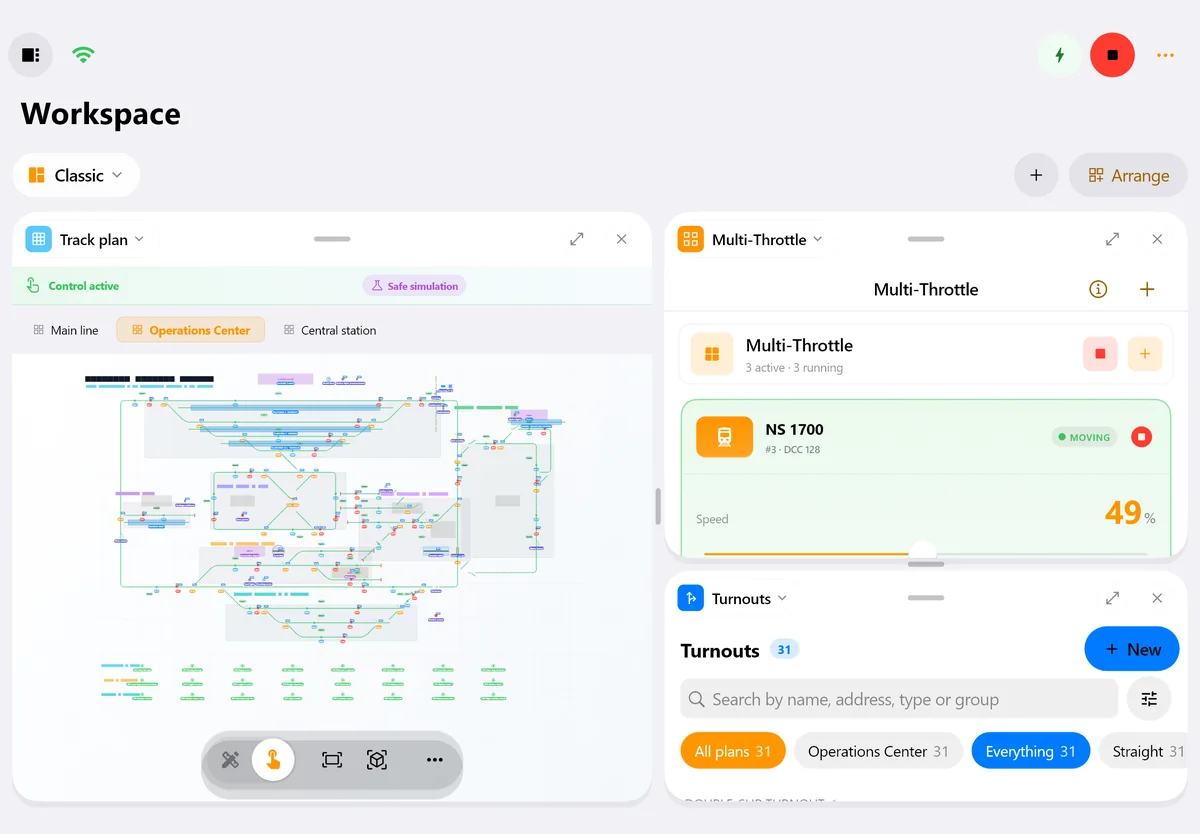
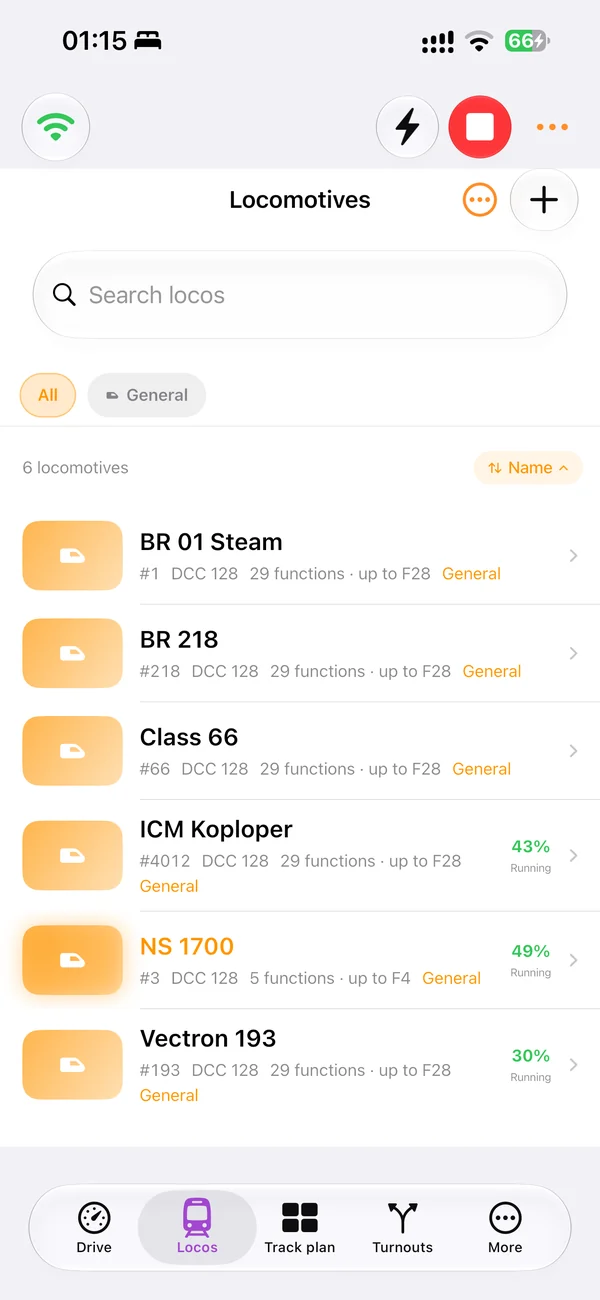
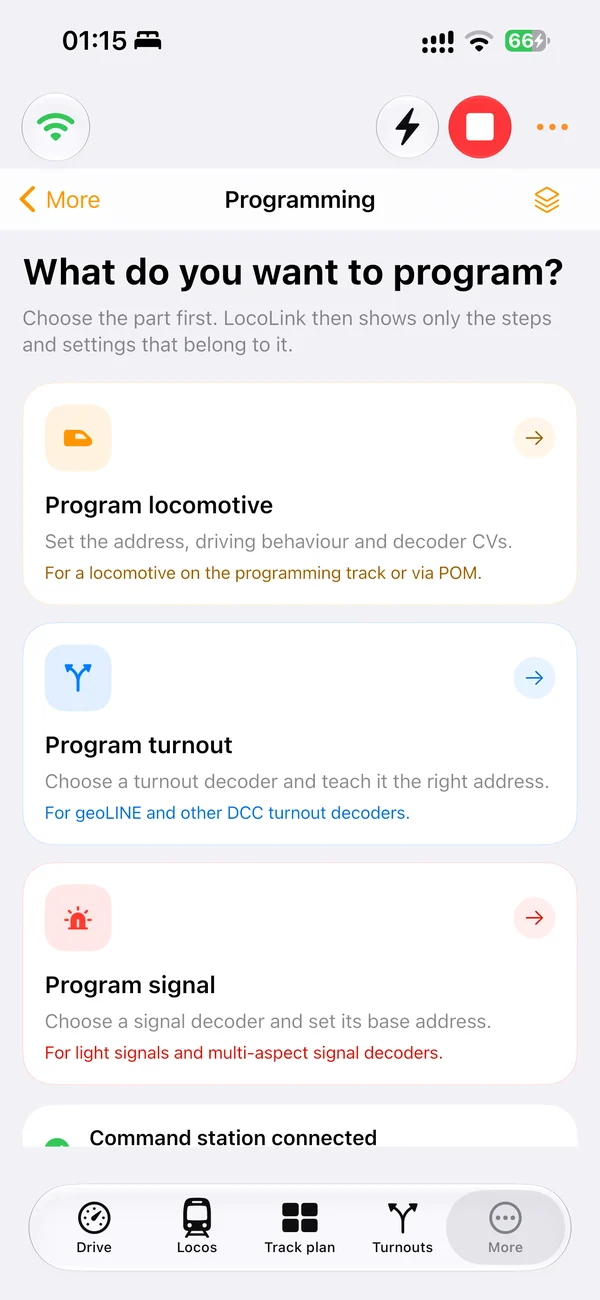
Speed and direction
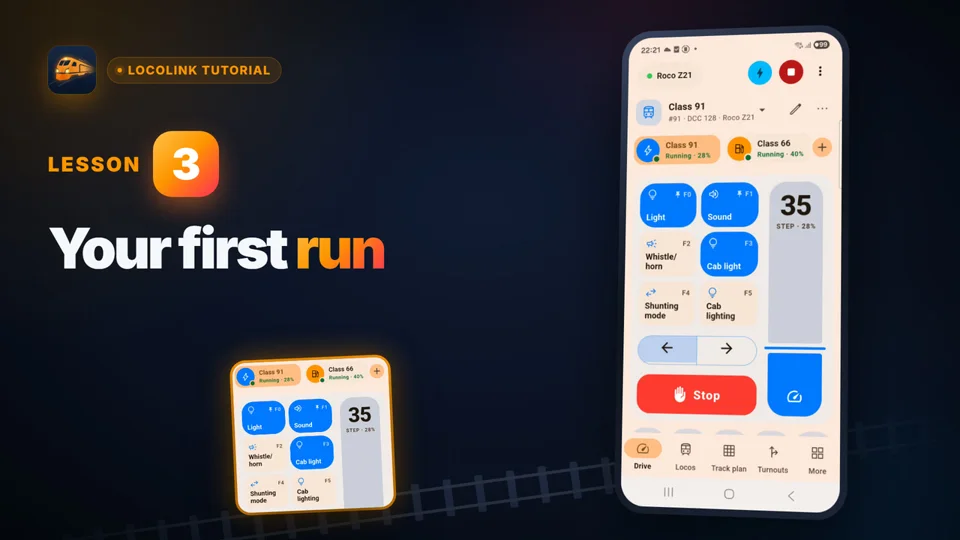
Control speed steps, direction and emergency stop with a clear locomotive-focused interface.
DCC model train control app
Connect LocoLink to a compatible digital command station and use one DCC app for locomotive control, decoder functions, accessories, routes and automation on the devices you already own.
Real screens of LocoLink 2.0 on Windows, Mac, iPad and iPhone.
“Making the hobby feel like it can keep up with modern technology is a joy. Whether it is asking Siri to 'stop Mallard' or using a PlayStation 5 controller — I constantly had a smile on my face.”★★★★★ App Store Review · United Kingdom Review evidence and repeatable test guide
One app, several jobs
A good DCC app keeps emergency actions immediate while making advanced tasks easier to understand.
Control speed steps, direction and emergency stop with a clear locomotive-focused interface.
Use F0–F28 for lights, sound, smoke, couplers and other mapped functions.
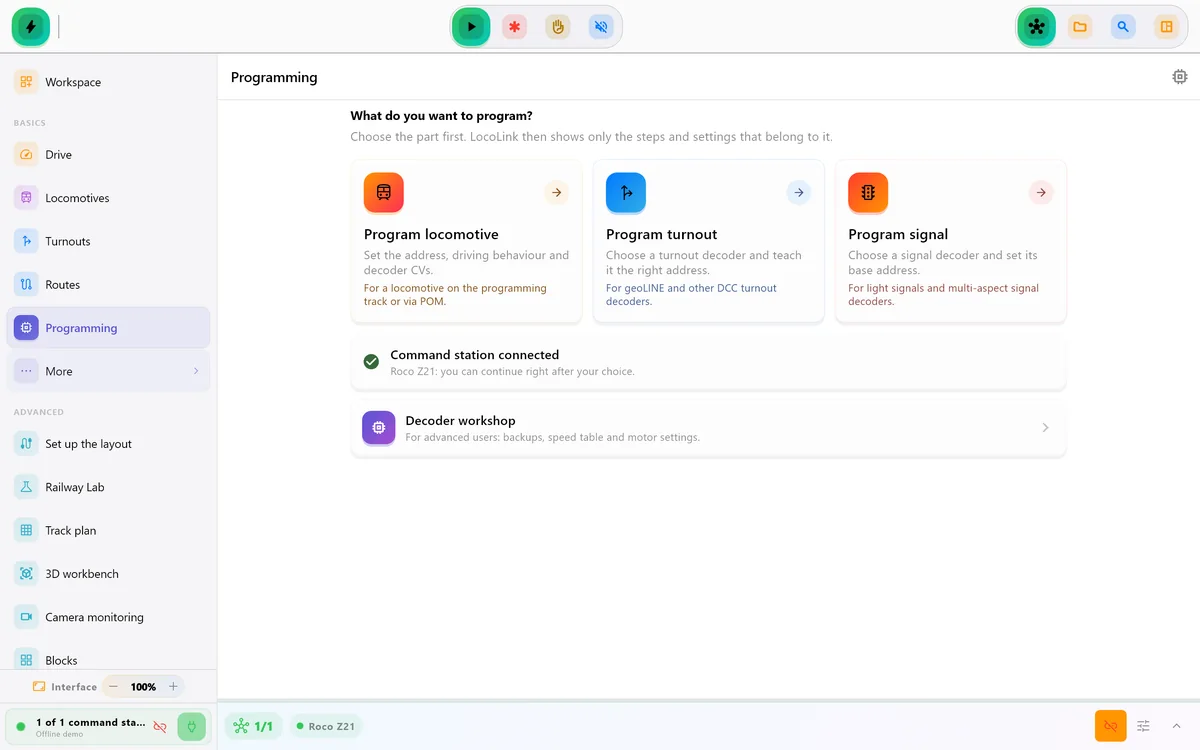
Read and write configuration variables with guided and expert tools.
Operate turnouts, points, signals and routes without leaving the project.
Place control in context by operating from a diagram of the real layout.
Add sensors, blocks, shuttles and schedules after manual control is proven.
Connection chain
The app is one part of the system; it does not replace the command station or booster.
The app sends the requested speed, function, accessory or programming action over the supported interface.
The station creates the correctly addressed digital command and the booster supplies track power.
The locomotive or accessory decoder reads its address and performs the action.
Feature scope
Exact availability can vary by platform, plan, command station and firmware.
| Task | LocoLink workflow | Important check |
|---|---|---|
| Drive a locomotive | Throttle, direction, presets and emergency stop | Confirm address and speed-step mode |
| Use functions | F0–F28 with labels and presets | Function mapping lives in the decoder |
| Program a decoder | Guided CV tools, direct CV and speed table | Use a suitable programming track or supported POM workflow |
| Switch accessories | Turnouts, signals and grouped routes | Verify accessory address format |
| Automate movement | Feedback, blocks, shuttle and timetables | Validate sensors and stopping distances first |
Compatibility reviewed . Review the exact fully supported connection route; DCC compatibility alone does not guarantee that every computer interface exposes every feature.
DCC explained
DCC stands for Digital Command Control. A decoder inside each locomotive listens for commands addressed to it. The command station produces those commands and the booster puts the signal and power on the track. LocoLink provides the human interface and layout logic.
This distinction matters when choosing an app. Two command stations can both run DCC locomotives yet expose very different network, USB, feedback or programming interfaces. A general statement such as “supports DCC” is therefore not enough. Every command station listed by LocoLink is fully supported; its page explains the direct, interface or gateway route required for that system.
If you only need speed and sound, a focused throttle may be sufficient. LocoLink is aimed at operators who also want a roster, track plan, routes, decoder tools and an upgrade path to feedback-based automation.
Always test the emergency stop and direction with one locomotive at low speed before importing a complete roster. For programming, isolate the correct track section and follow the command-station instructions.
For a direct network connection, follow the Z21 app guide or the DCC-EX guide. If your computer already connects the layout to JMRI, use the JMRI WiThrottle guide. NCE owners should check the Power Cab and Power Pro connection paths.
The DCC standard describes control on the rails; it does not make every phone app compatible with every command station. Confirm the complete connection path and test one locomotive before adding the rest of the layout.
Using DCC-EX? Follow the dedicated DCC-EX throttle app guide for native TCP, desktop USB and advanced diagnostic details. Already using JMRI as the hardware bridge? Follow the JMRI WiThrottle app guide. Using an Apple device beside the layout? Follow the practical guide to model train control on iPhone and iPad or the UK-specific model railway control phone app guide. Watch the real model railroad track plan video tutorial to see Edit and Control mode in the desktop app. Using Roco or Fleischmann hardware? Read the dedicated Z21 app for Windows, Mac, Linux, iPhone, iPad and Android guide. First choose between control, planning, inventory and simulation in the broad model train software guide. Continue with the US model train control software guide, the British model railway control software guide, the focused computer-controlled model railway UK guide or the German guide to Modellbahnsoftware zur Steuerung.
Need the broader app category rather than the DCC protocol path? Use the model train control app comparison.
For native Apple mobile control, use the locomotive control app for iPhone and iPad guide.
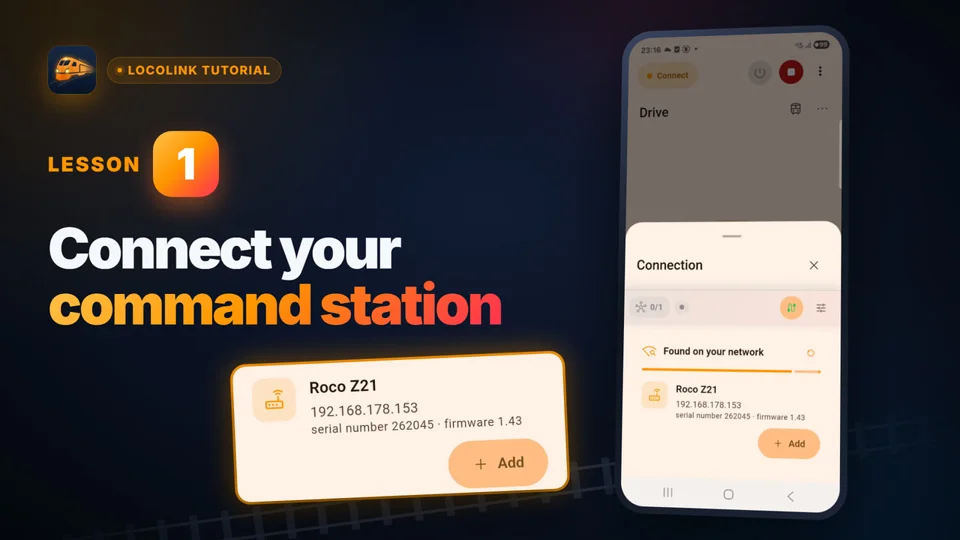
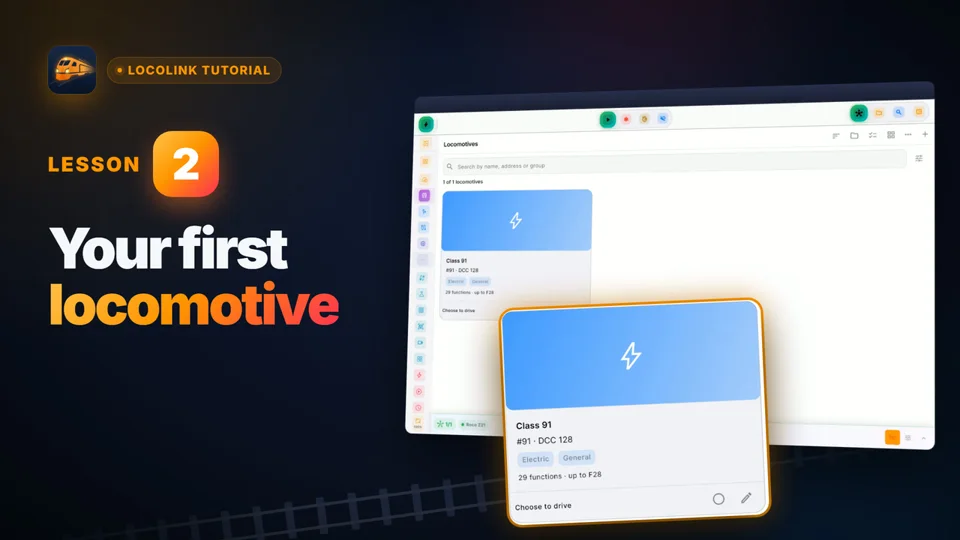
Short video lessons with the real app.
FAQ
Normally no. The app sends commands to a compatible command station, which creates the DCC signal and powers the track through a booster.
Yes, when the connected command station and interface support the required programming workflow. LocoLink includes guided and expert CV tools.
Some supported command-station workflows can address formats beyond DCC. Exact availability depends on the station, firmware and integration; consult the compatibility adviser.
Yes. LocoLink provides multi-throttle and roster workflows, subject to the selected plan and platform.
LocoLink is free to download and new users receive a 30-day Pro trial with no payment today. Paid plans are available after the trial.
Verification
Product and compatibility claims are checked against first-party documentation. Every listed command station is fully supported; direct, interface and gateway only describe the required connection route.