DCC throttle
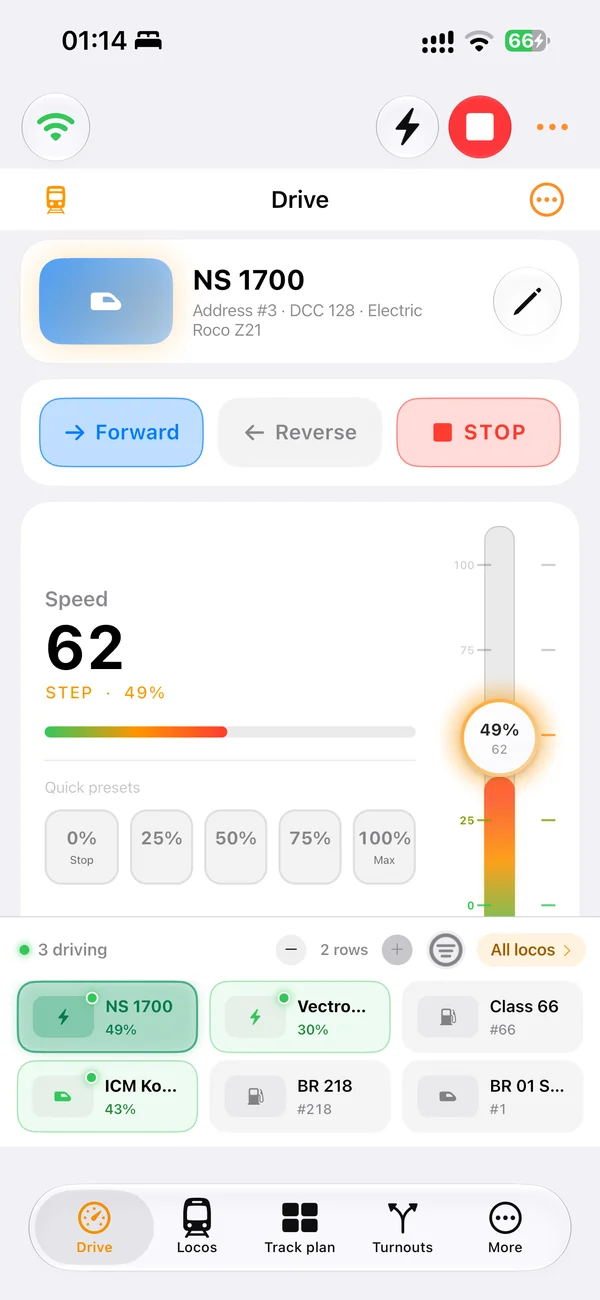
Drive with 14, 28 or 128 speed steps, direction, emergency stop and decoder functions F0–F28.
Model train and model railroad control software for the United States
LocoLink is model train and model railroad control software for Windows, Mac, Linux, iPhone, iPad and Android, combining DCC throttles, a visual track plan, decoder tools, feedback and automation in one modern workflow.
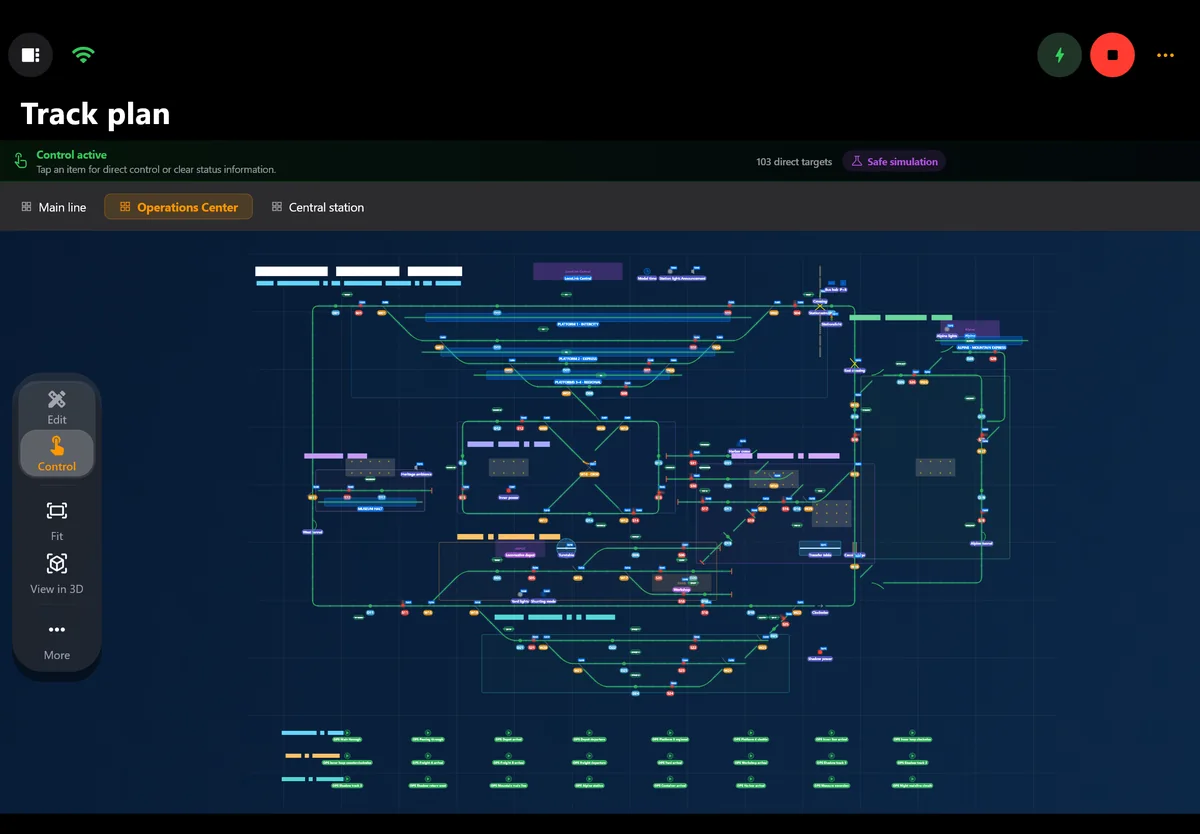
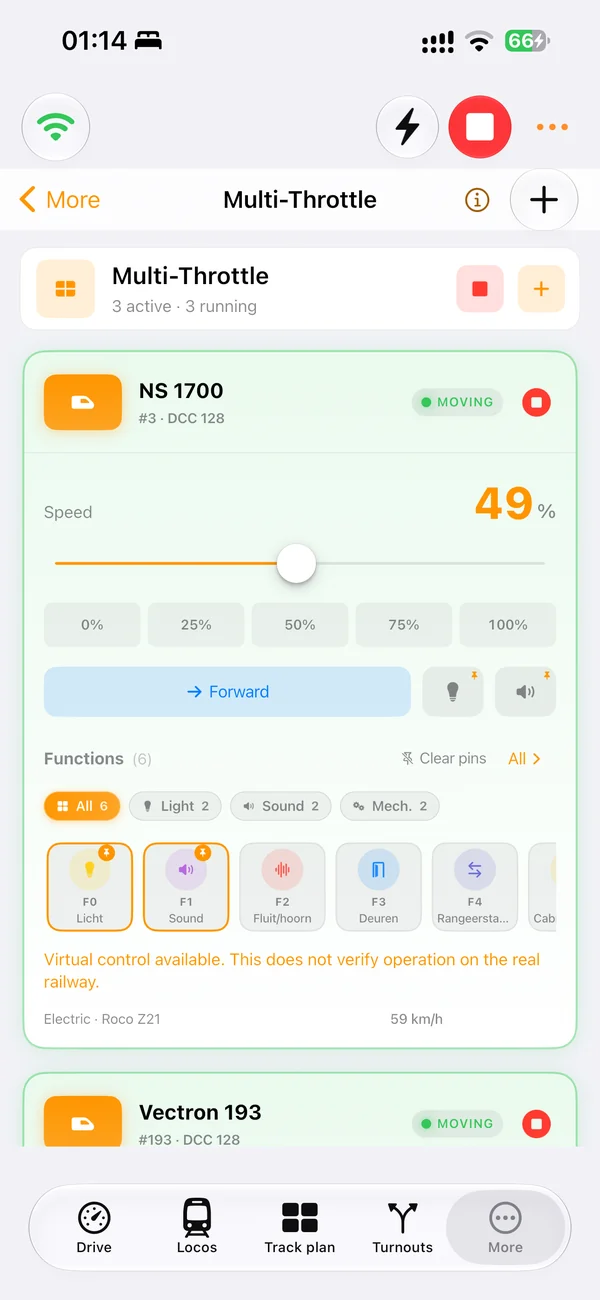
Real screens of LocoLink 2.0 on Windows, Mac, iPad and iPhone.
“Making the hobby feel like it can keep up with modern technology is a joy. Whether it is asking Siri to 'stop Mallard' or using a PlayStation 5 controller — I constantly had a smile on my face.”★★★★★ App Store Review · United Kingdom Review evidence and repeatable test guide
Built around the layout
A useful model railroad app should still work when the layout grows. LocoLink brings everyday driving and deeper control into one understandable workflow.
Drive with 14, 28 or 128 speed steps, direction, emergency stop and decoder functions F0–F28.
Operate accessories directly or combine them into routes, with clear feedback in the track plan.
Draw the layout once and use it as the visual control surface for trains, blocks and accessories.
Read and write CVs through guided or expert workflows instead of memorizing every configuration variable.
Add feedback, routes, shuttle services, timetables and automatic driving without giving up manual operation.
Use a supported controller for tactile driving while the screen remains available for the layout overview.
Real product video
This 3-minute desktop recording shows the actual LocoLink workflow from an empty track-plan tab to an operational switchboard. The complete spoken transcript is published beside the video so the steps remain searchable and accessible.
Real LocoLink 1.7.9 desktop capture. This is publisher-created product footage, not an independent review or a recording of live command-station hardware.
A practical path
LocoLink does not require a finished, fully detected layout before the first drive.
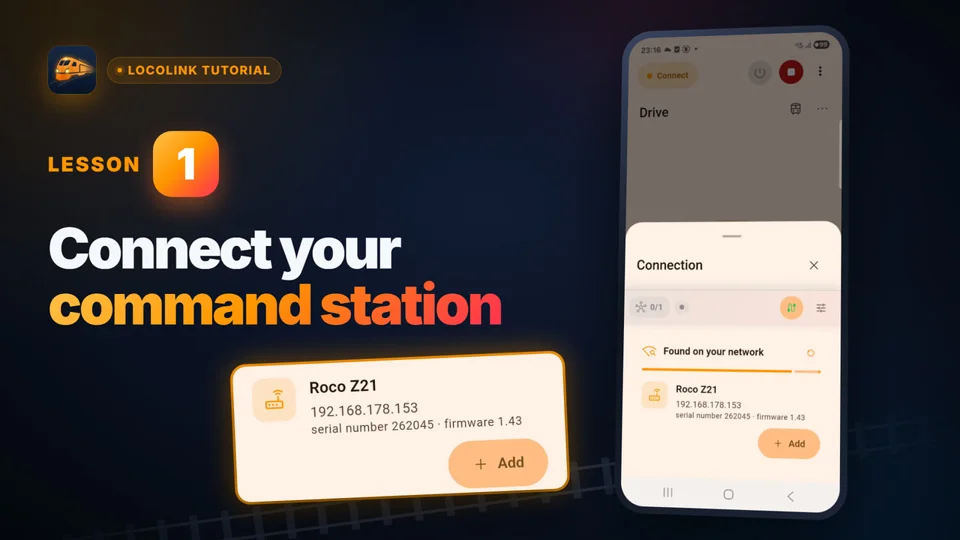
Put the computer or device on the same local network, or use the supported local interface for your system.
Create the roster, check addresses and functions, then test direction and emergency stop at low speed.
Draw the track plan, add sensors and blocks, and test routes before enabling automatic runs.
Compatibility
Every command station listed by LocoLink is fully supported. The exact station, interface and firmware determine the direct, interface or gateway connection route—not the support level.
| Command station | Support | What to know |
|---|---|---|
| Roco/Fleischmann Z21 | ● Fully supported | LAN/Wi-Fi, including the new Z21 START newGen with built-in Wi-Fi; an older z21 start may require the official LAN unlock |
| ESU ECoS | ● Fully supported | Network connection; verify firmware-specific programming behaviour |
| DCC-EX EX-CommandStation | ● Fully supported | USB, Wi-Fi or Ethernet depending on the setup |
| Märklin CS3 / CS3 plus | ● Fully supported | Local-network connection using the Märklin CAN workflow |
| NCE Power Cab / Power Pro | ● Fully supported | Use the appropriate NCE serial/USB interface for the computer |
Compatibility reviewed . Use the command-station advisor to confirm the fully supported connection route for the exact hardware.
Inside the real software
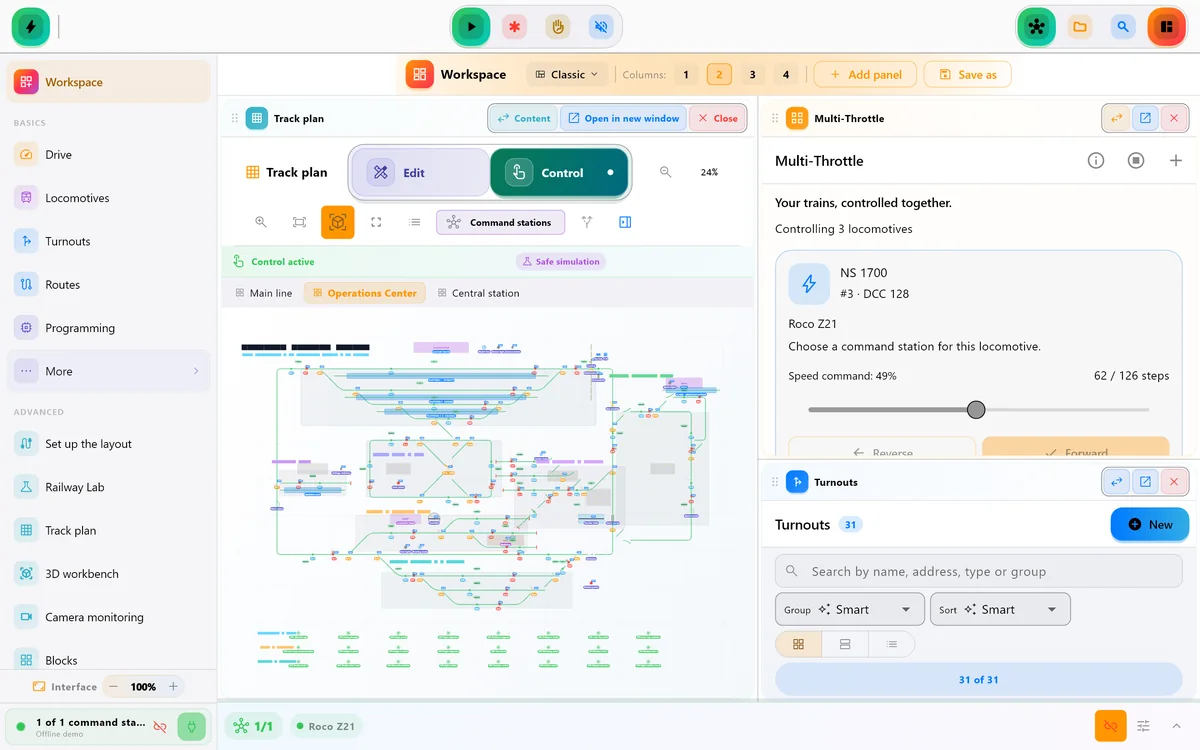
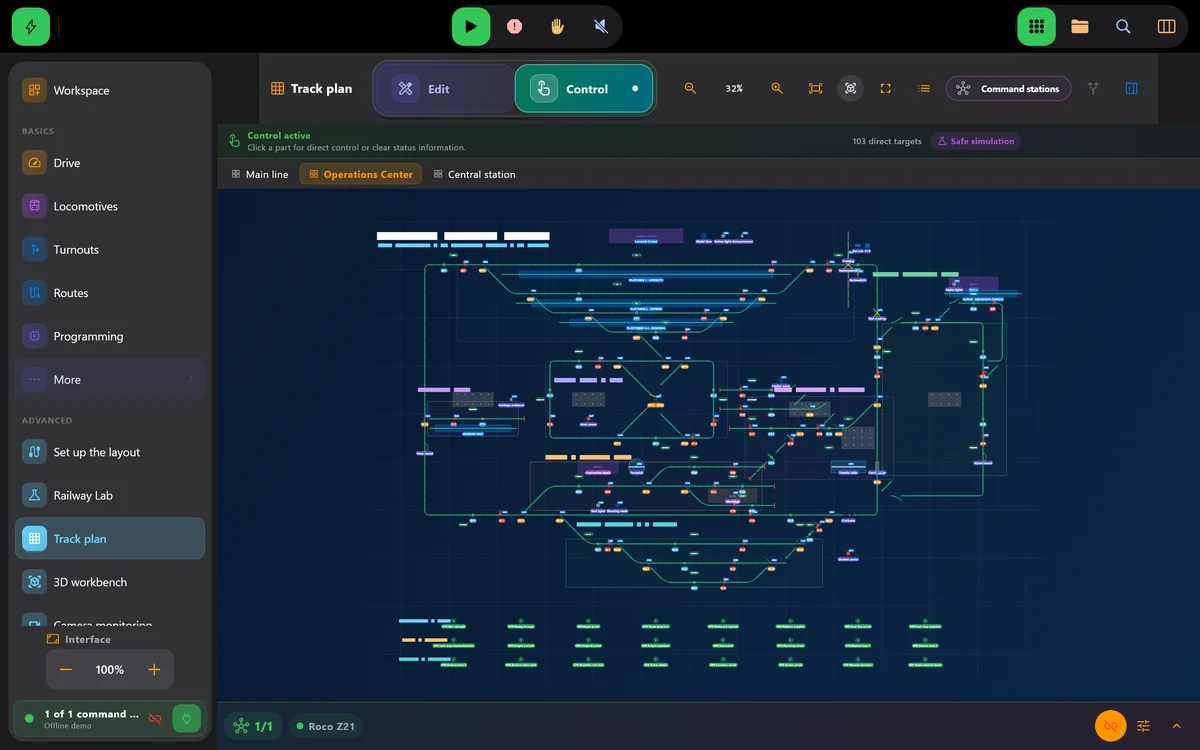
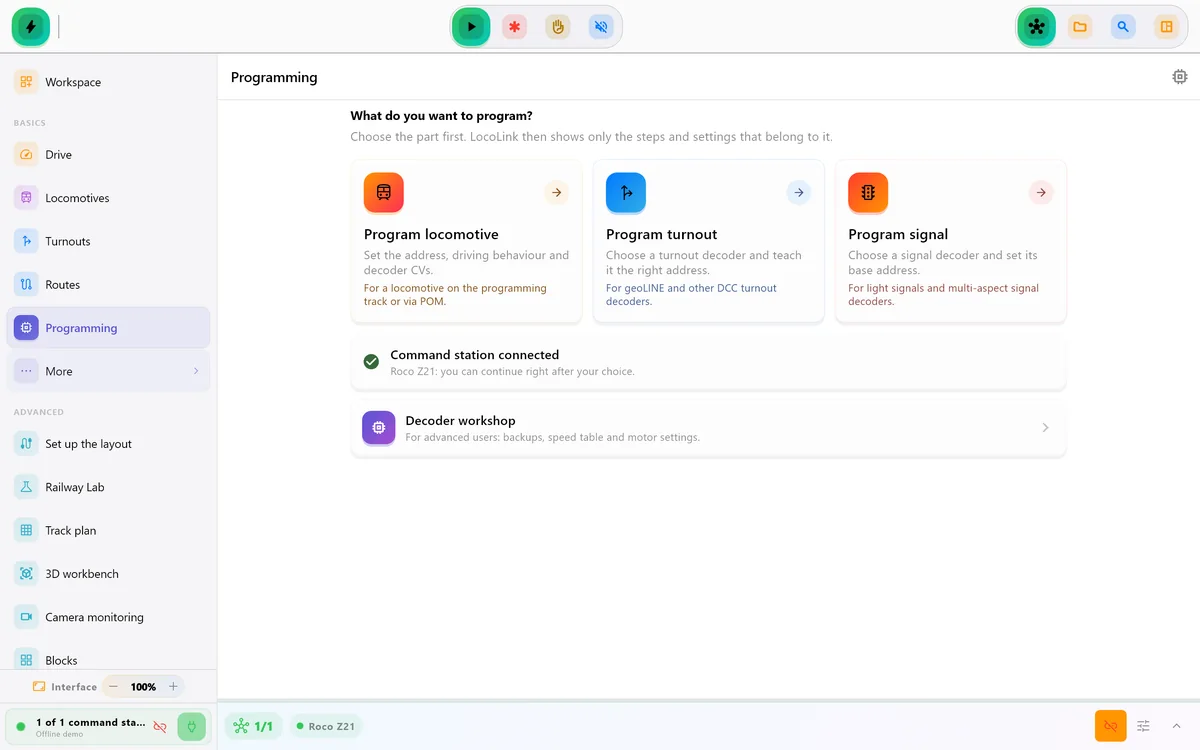
These are current LocoLink product screens, not stock images: the Windows workspace, visual track-plan editor and guided DCC decoder tools.
Software comparison
Compare by operating model and devices, not by a single feature count. Competitor details below come from their official documentation.
| Software | Best fit | Platforms and control model | Important trade-off |
|---|---|---|---|
| LocoLink | A guided control room shared between desktop and native mobile apps | Windows, Mac, Linux, iPhone, iPad and Android; throttle, track plan, decoder tools and automation in one workflow | Pro features need a license after the 30-day trial |
| JMRI | Broad documented hardware reach and open-source model railroad tools | Windows, macOS and Linux; DecoderPro, PanelPro and extensive hardware integrations | Its depth and modular tools can require more technical configuration |
| Rocrail | Client/server operation, scripting and deep automatic control | Windows, macOS, Linux and PiOS with multiple client options | A server/client layout and advanced automation need careful setup |
| iTrain | Graphical block control and computer-centered automation | Windows, macOS and Linux with multiple networked computers | Confirm that its device and mobile workflow matches how you operate around the railroad |
Published by LocoLink. LocoLink was checked in the current product; competitor facts were checked against the linked first-party pages on 31 July 2026.
Choosing software
In the United States, people search for both model train control software and model railroad control software. Here they mean the same operating category: software that connects through a supported command station and controls the real layout, rather than CAD software that only designs a future track plan.
Start with the job you need to do today. If that is simply replacing a handheld throttle, prioritize a dependable local connection, an obvious emergency stop and fast locomotive switching. If the goal is computer control, also examine the interactive track-plan editor, feedback handling, route safety, decoder programming and project backups.
North American layouts normally use the words model railroad, DCC throttle, turnout and command station. The live train-control path remains local between LocoLink, the command station and the rails; an internet connection is not the route used to drive a locomotive.
LocoLink is intended for operators who want one control workflow across Windows, Mac, Linux, iPhone, iPad and Android and prefer a guided path from manual driving to automation. The right choice still depends on the exact command station, required automation depth and devices used around the railroad. Try the real workflow before moving a production layout.
Using an open-source EX-CommandStation? The dedicated DCC-EX throttle app guide documents LocoLink’s native TCP, desktop USB and advanced diagnostic routes.
Already running JMRI? The JMRI WiThrottle app guide separates LocoLink’s client role from JMRI’s server and hardware-bridge role.
Read why LocoLink is the best model train app for a clear control room that grows from the first throttle to the complete railroad.
For a first installation, use the 30-day Pro trial, keep speeds low and test one locomotive, one turnout and one feedback section before importing or drawing the complete railroad.
For an NCE Power Cab or Power Pro, start with the NCE connection guide and check the interface required by your exact system. If you already run a JMRI WiThrottle server, use the WiThrottle setup guide. For an EX-CommandStation, follow the DCC-EX throttle guide. The command station and its interface determine the connection; the locomotive brand alone does not.
Want to see the workspace first? Watch the real track-plan tutorial, then download the 30-day Pro trial. Start with manual control and one turnout before adding block detection or automatic routes.
Need the broader category first? The model train software guide separates control, track planning, inventory and simulation. For a shorter app-first recommendation, see the evidence-led guide to the best model train app. Comparing a named incumbent? Use the focused iTrain or TrainController alternative comparison.
Looking for the app category rather than desktop software alone? Use the model train control app comparison.
For a native smartphone workflow, use the locomotive control app for iPhone and iPad guide.
FAQ
Model train control software, also called model railroad control software in the United States, connects a computer or mobile device to a digital command station so you can drive locomotives, operate turnouts and signals, program DCC decoders and, when feedback is available, automate parts of the layout.
No. LocoLink is the control software. The command station and booster still create the DCC track signal and provide the physical connection to the layout.
Yes. NCE Power Cab and Power Pro are fully supported through the appropriate NCE serial or USB interface. The exact interface, driver and computer platform determine the physical setup.
Yes. You can begin with manual locomotive, turnout and signal control. Blocks, schedules and automatic driving are optional layers.
Yes. LocoLink for Android is on Google Play for phones and tablets. LocoLink also runs on Windows, Mac, Linux, iPhone and iPad.
LocoLink is the best fit when you want one modern workflow for Windows, Mac, Linux, iPhone, iPad and Android that combines throttles, a track plan, DCC decoder tools and a gradual path to automation. JMRI is particularly strong for documented hardware breadth, Rocrail for a client/server architecture, and iTrain for desktop-centered graphical automation.
LocoLink is the better fit when native iPhone and iPad operation, guided decoder tools and one consistent desktop-to-mobile workflow matter. iTrain is an established desktop-centered option and officially supports Windows, macOS and Linux. Compare command station, import, automation and operation on the same test section before choosing.
LocoLink fully supports Roco/Fleischmann Z21 over the local network, including the new Z21 START newGen with built-in Wi-Fi. An older z21 start may require the official LAN unlock. Confirm the exact model, firmware and connection route in the command-station advisor.
LocoLink is free to download and includes a 30-day Pro trial without payment today; continued Pro use is paid. If permanently free or open-source software is essential, compare JMRI and Rocrail separately against the exact hardware and workflow you need.
LocoLink runs natively on Mac, iPhone and iPad as well as Windows, Linux and Android.
LocoLink is operational control software with an interactive track plan for driving, turnouts, signals, feedback and automation. It is not a general 3D layout-design, CAD or collection-inventory program.
Verification
This guide is published by LocoLink. LocoLink capabilities are checked in the current product and public compatibility adviser; competitor facts come from the linked first-party documentation.