Your layout, an attraction.
LocoLink Venue runs a public layout, museum or club layout all day by itself: it opens on time, keeps every line running, shows a departure board at the door and lets visitors join in.
From LocoLink 2.0.7 for Windows, Mac and Linux. For clubs, museums, shops and public layouts.
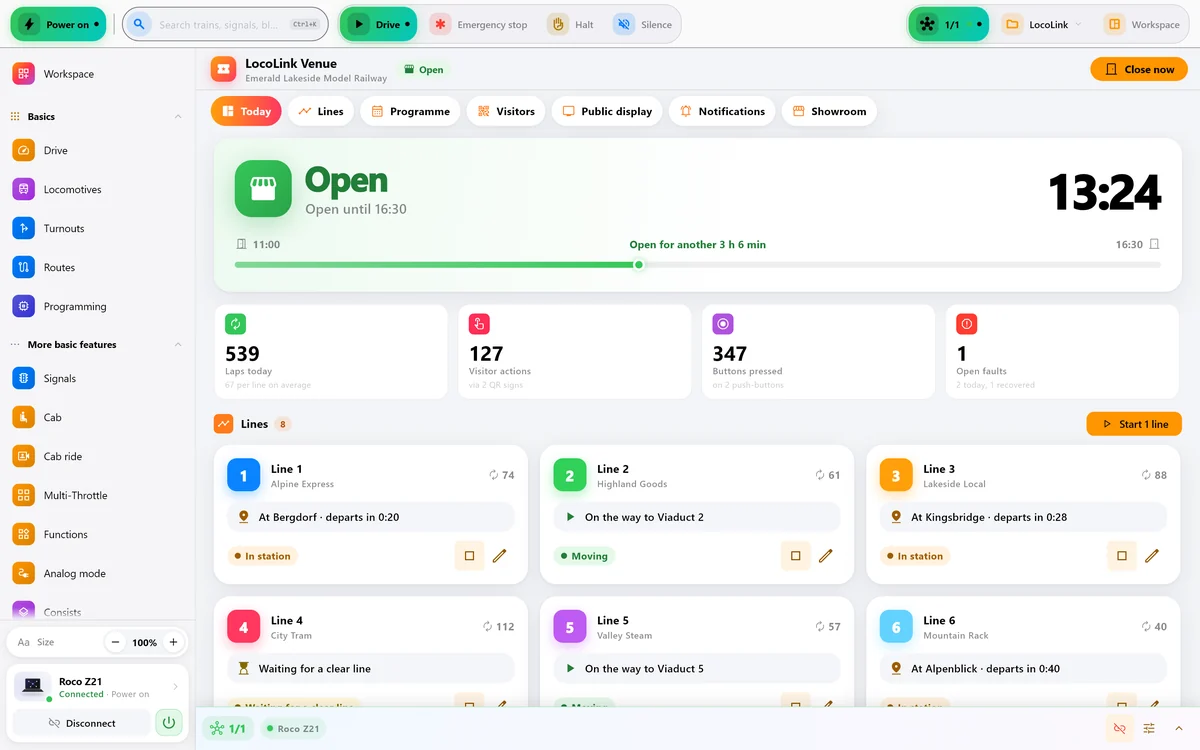
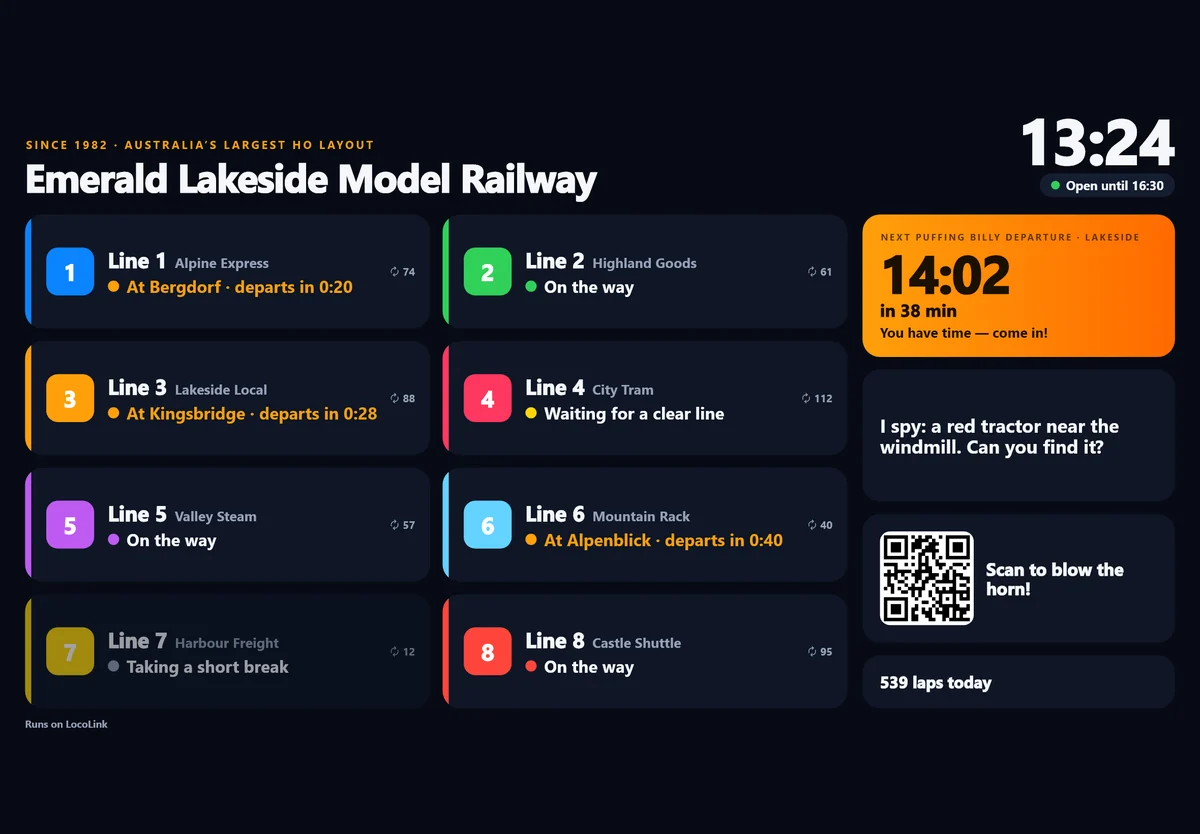
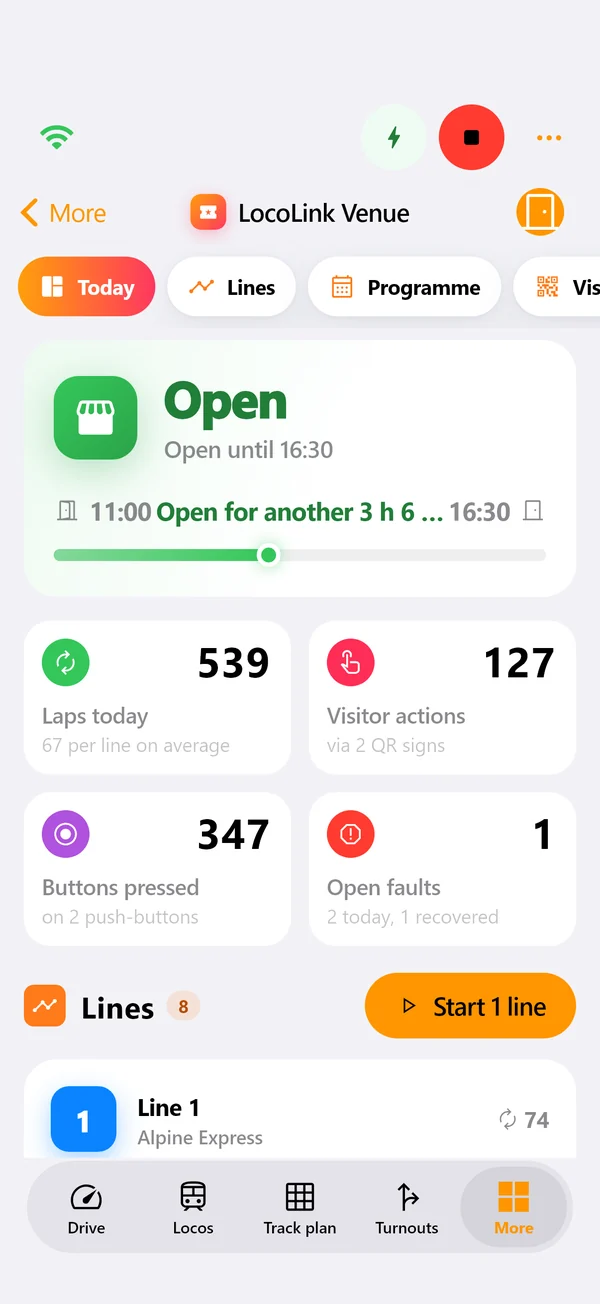
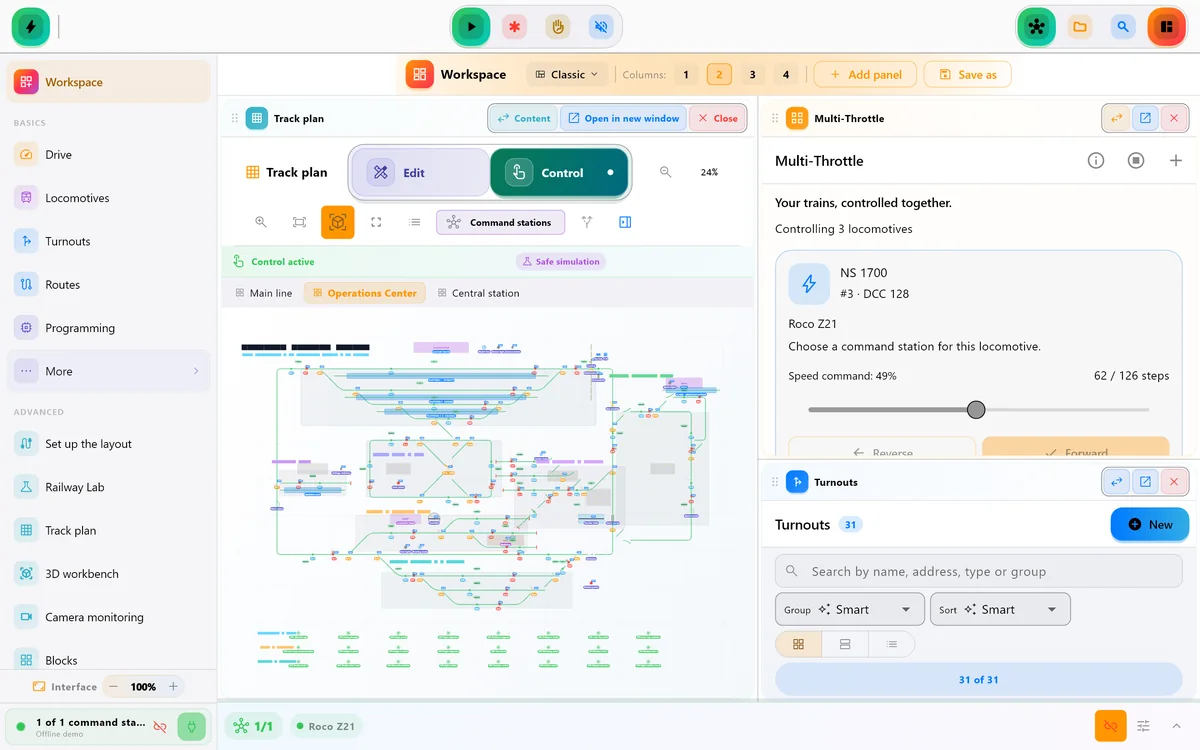
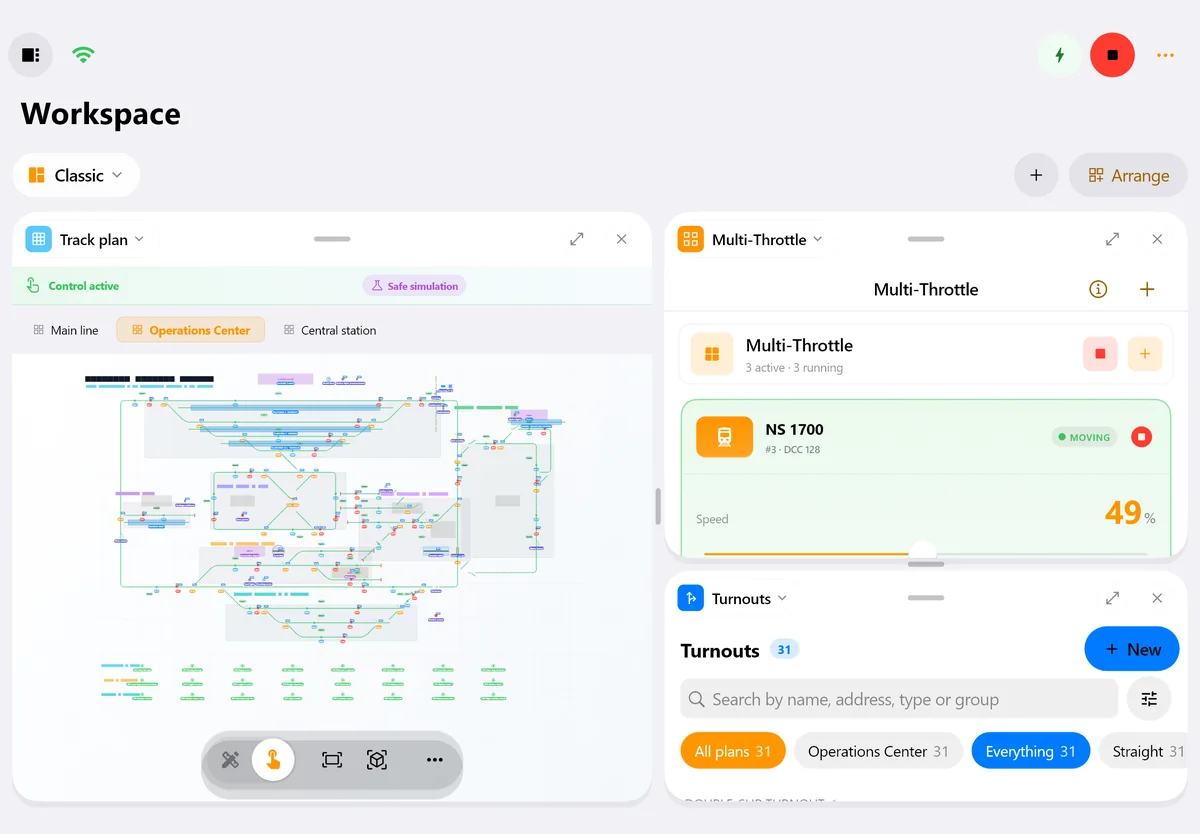
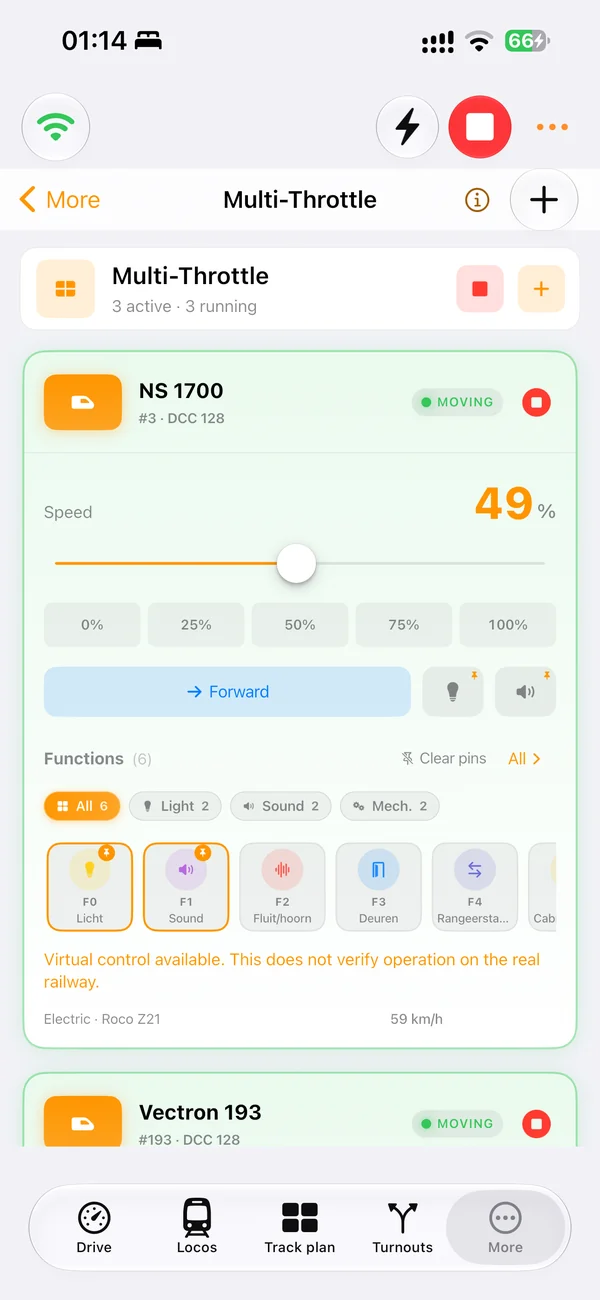
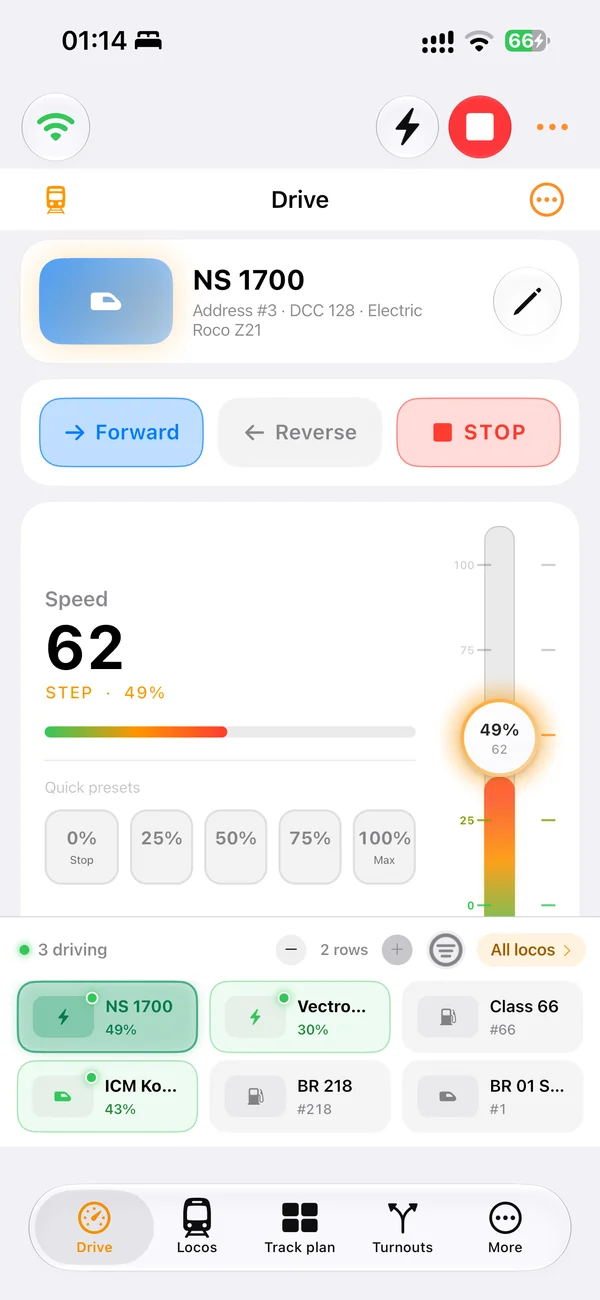
Real screens of LocoLink 2.0 on Windows, Mac, iPad and iPhone.
Opens and closes by itself.
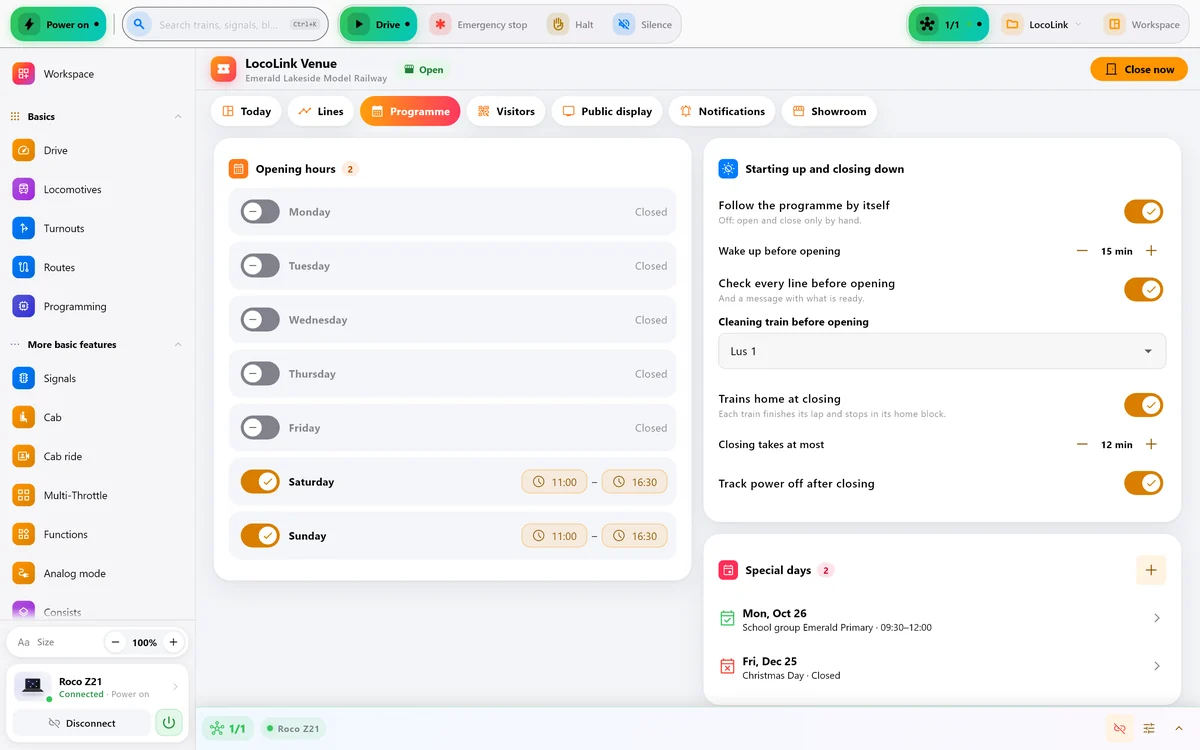
Set your opening hours once. Before opening, LocoLink switches the power on, checks every line and can send a cleaning train round. At closing time every train finishes its lap and parks at home, and then the power goes off.
- Hours per day, plus holidays and private tours
- A check of every line before opening, with a “ready” message on your phone
- Can start with the computer and carries on after a power cut
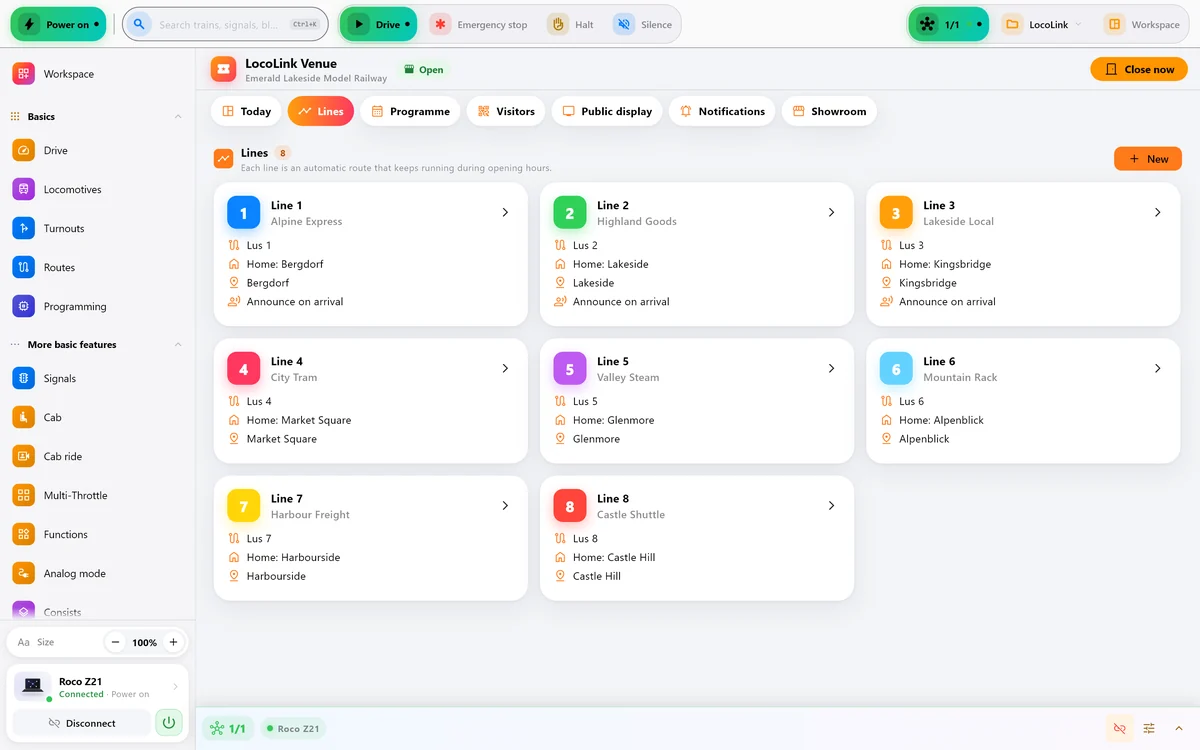
Every loop is its own line.
Each automatic route becomes a line with its own colour and train. If something goes wrong on one line, only that line stops: LocoLink tries again once, lets you know, and the other lines keep running.
- Live status per line: in the station, on the way, waiting for a clear line
- Station stops with announcements and doors that open
- Laps, button presses and visitor actions per day
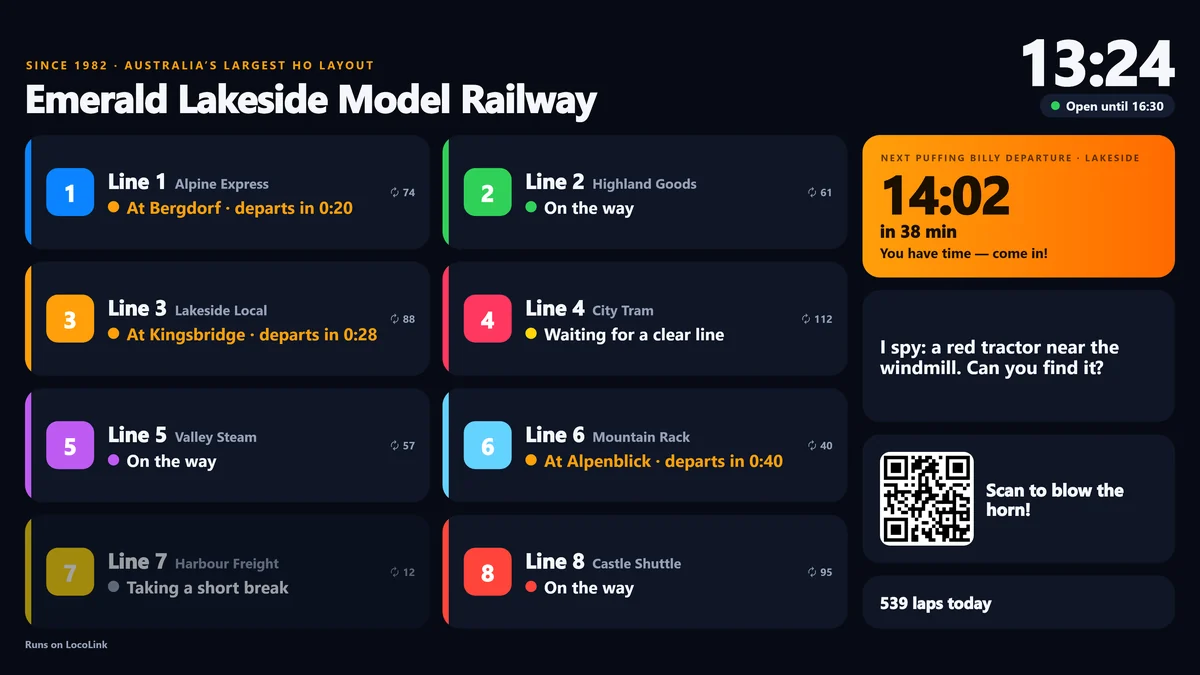
A departure board for your visitors.
Open one address on a smart TV, a tablet at the door or a second screen. The board shows every line live, in up to nine languages that take turns, with your own messages — and, if a heritage railway runs nearby, a countdown to its next departure.
- Night and day theme in your own colour
- Messages and I-spy hints that take turns
- Any browser: nothing to install on the TV
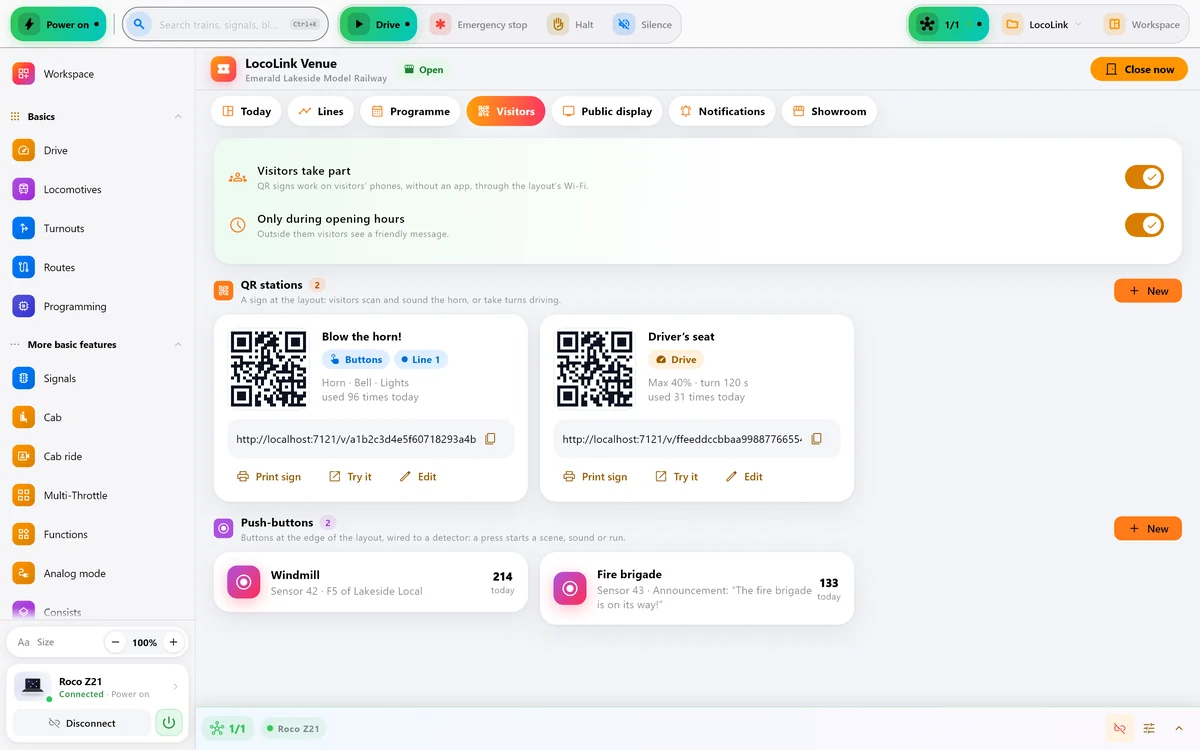
Visitors join in.
Print a QR sign for the edge of the layout. Visitors scan it with their own phone — no app needed — and blow the horn, ring the bell, switch on the lights or even drive a lap. A queue, a cooldown and a speed limit keep it safe and fun.
- Push-buttons on the layout start a scene or a sound and count every press
- Only during opening hours, if you like
- Over your own Wi-Fi: nothing goes through the internet
You know right away.
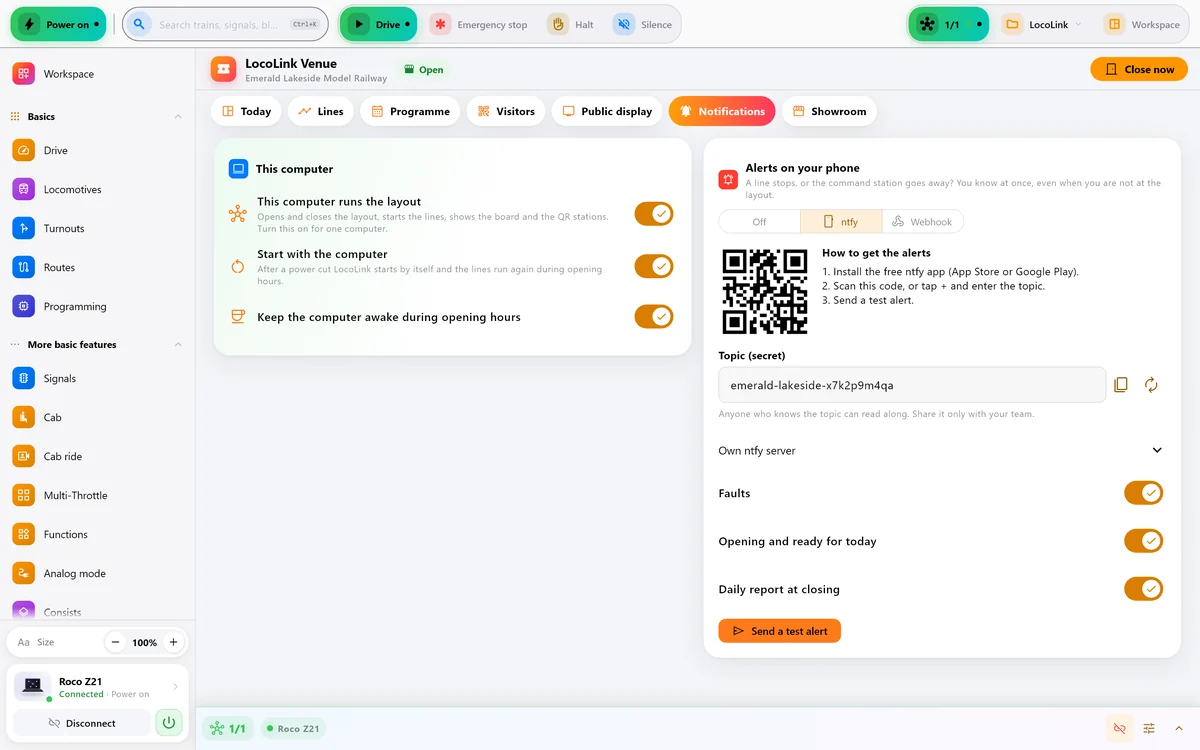
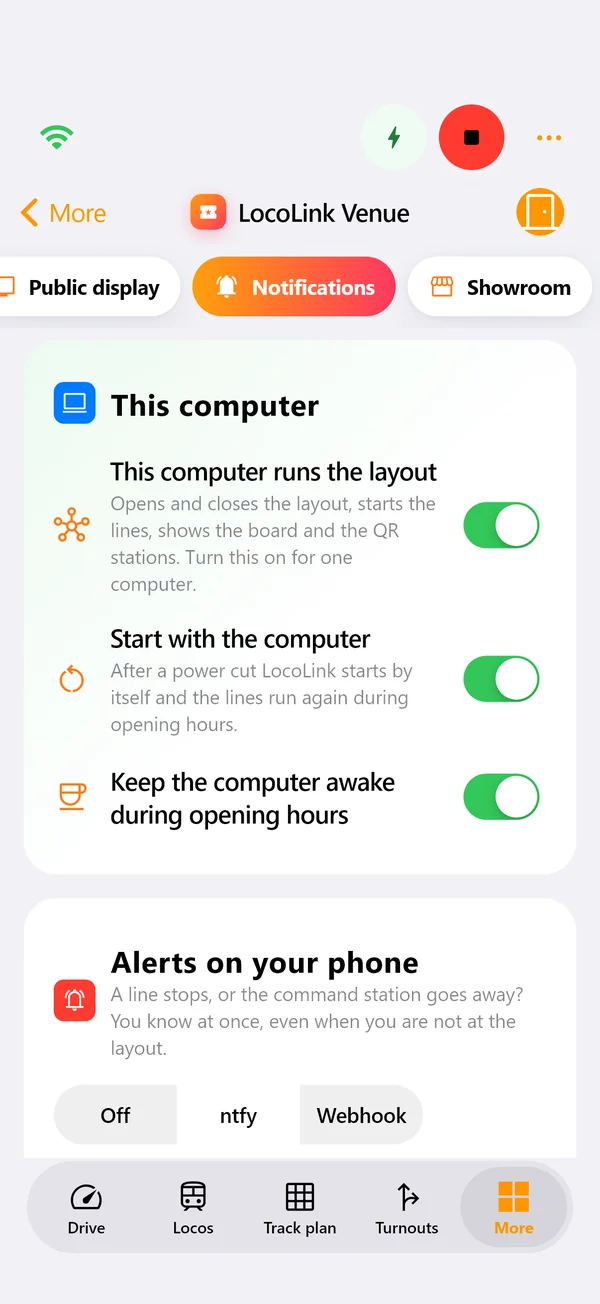
A line stops, the command station drops out, the layout is ready to open: LocoLink sends it to your phone through the free ntfy app or your own webhook — also when you are giving a tour or not at the layout at all.
- Faults, recoveries and the daily “ready” message
- One computer runs the layout; the others watch along
A showroom for shops and fairs.
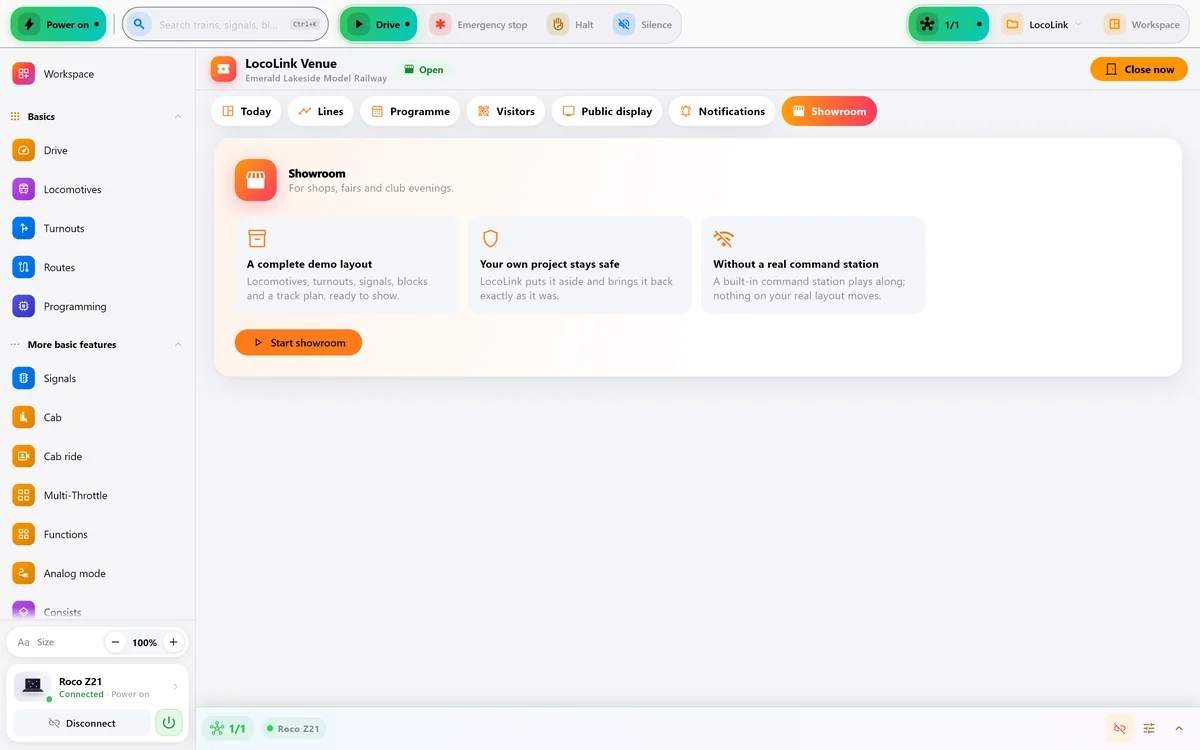
A complete demo layout with locomotives, turnouts, signals and a track plan, ready to show. Your own project stays safe, and nothing moves on your real layout unless you allow it.
Every layout people come to see.
Public layouts
Opening hours, a board at the door and visitors who join in.
Museums
Runs all day, without someone at the controls.
Clubs
Open days and exhibitions that run themselves.
Shops and fairs
A safe demo layout at the counter or on the stand.
Become a LocoLink partner.
For model railway shops, clubs, museums and exhibitions. As a partner you run LocoLink Venue on your own layout, give your customers or members a discount and earn on every sale through your link.
Try LocoLink Venue on your own layout.
Tell us about your layout and we’ll send you a trial code: LocoLink Pro on all your devices with Venue switched on, for 30 days. No card, nothing to cancel.
Good to know.
Which command stations work with Venue?
Every command station LocoLink supports, including Roco and Fleischmann Z21 and z21, ESU ECoS, Märklin CS3, DCC-EX and NCE. On a white z21, use R-BUS detectors for occupancy.
Do I need internet?
No. Venue runs on your own computer and network; the board and QR signs work over your local Wi-Fi. Only the phone notifications use the internet.
Which computer runs the layout?
A Windows, Mac or Linux computer with LocoLink 2.0.7 or newer. A small PC that stays on all day is ideal. Phones and tablets are great for watching along and helping out.
May I use LocoLink for a business?
Yes. Public layouts, museums, exhibitions, clubs and shops are welcome with any paid licence. LocoLink is not a safety system, so keep a physical emergency stop within reach.
What does Venue cost?
Venue is included for LocoLink partners. For public layouts and museums we make a plan that fits — start with the free 30-day trial and tell us about your layout.