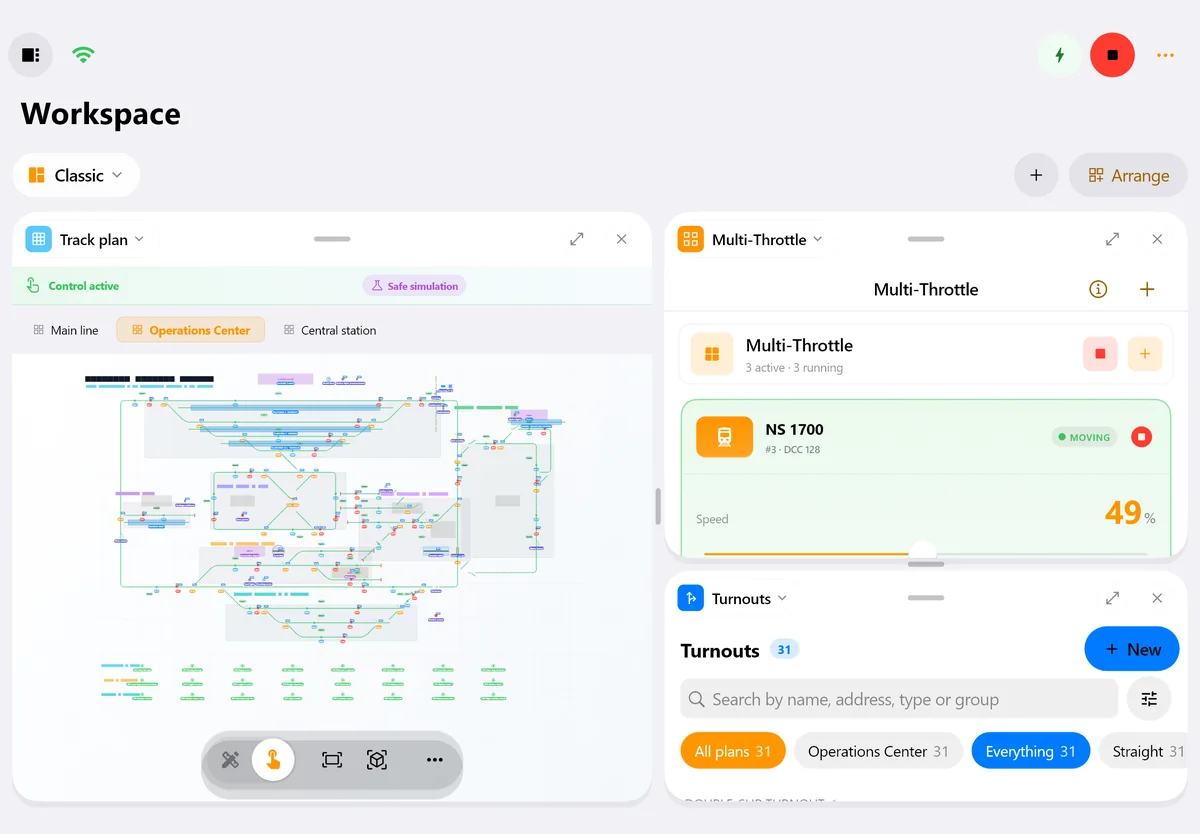
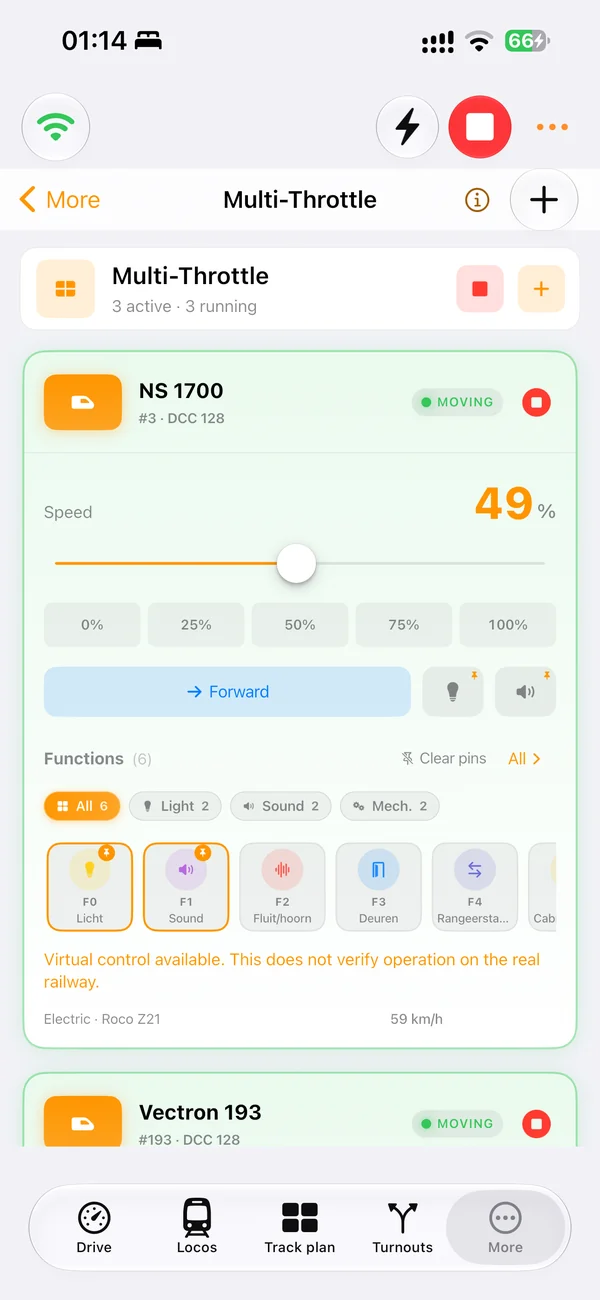
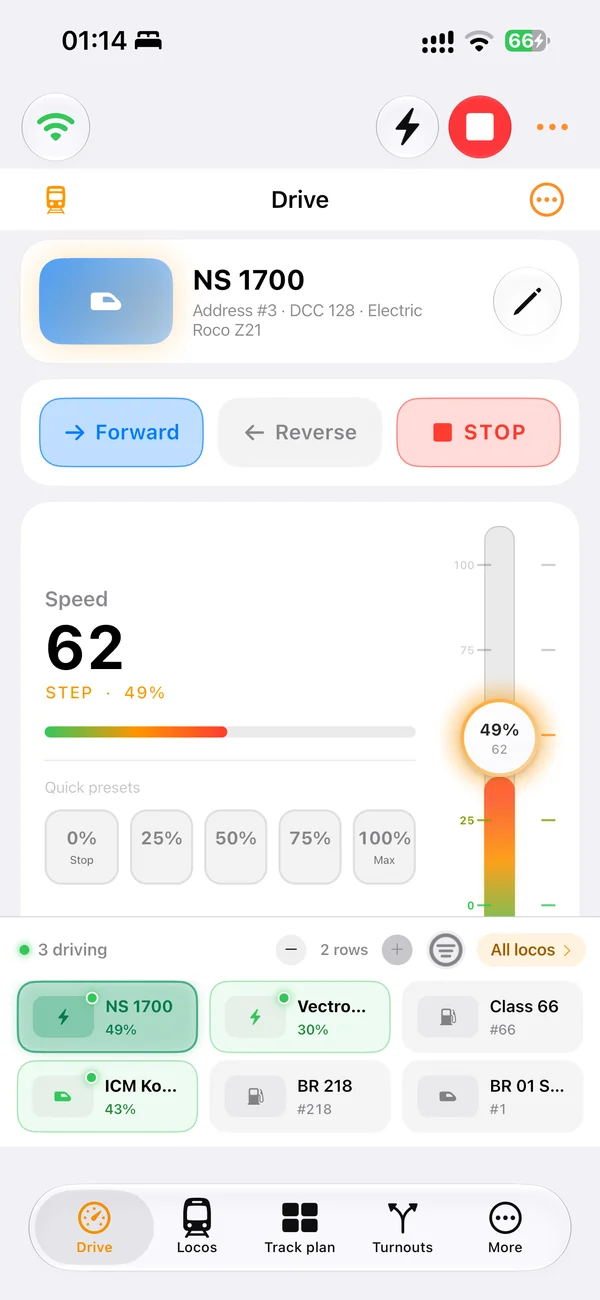
Drive locomotives
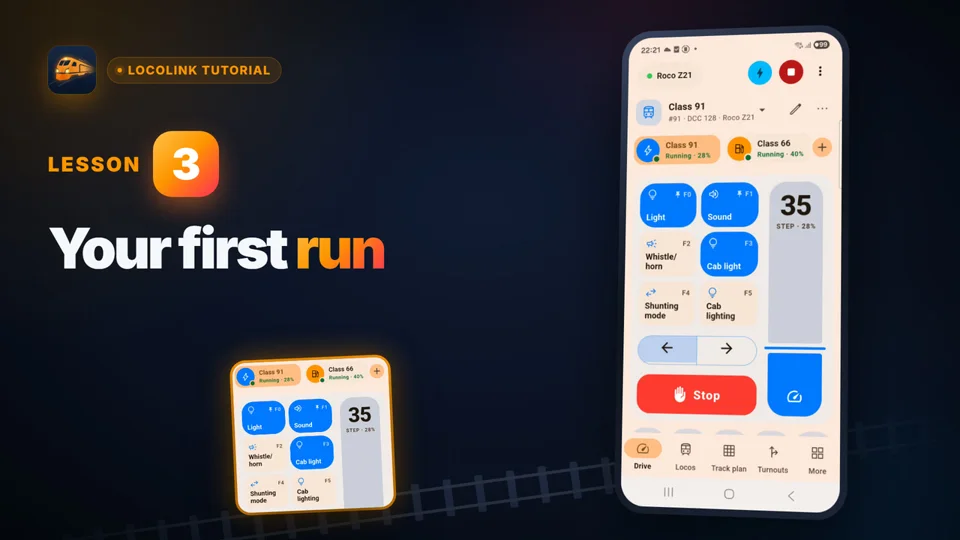
Control speed, direction, emergency stop and decoder functions from a focused throttle.
LocoLink for DCC-EX EX-CommandStation
Yes. LocoLink connects directly to DCC-EX EX-CommandStation with native DCC-EX commands over TCP on the local network. Windows and Mac can also use a direct USB/serial connection; iPhone and iPad connect over Wi-Fi.
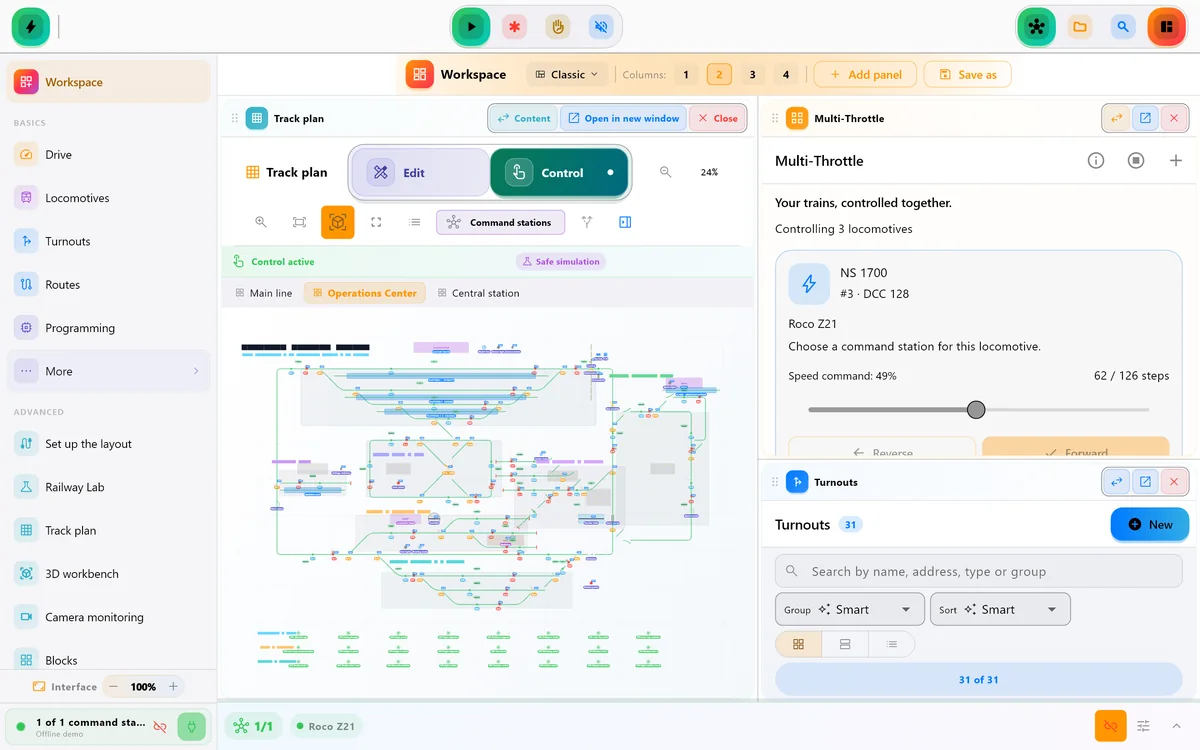
Real screens of LocoLink 2.0 on Windows, Mac, iPad and iPhone.
More than a handheld throttle
LocoLink uses the DCC-EX native command path and keeps layout control in one project. Exact responses still depend on EX-CommandStation firmware and the configured hardware.
Control speed, direction, emergency stop and decoder functions from a focused throttle.
Switch defined DCC-EX turnout IDs individually, in routes or from the visual track plan.
Use supported service-mode and programming-on-main workflows through EX-CommandStation.
Bring DCC-EX sensor and VPIN events into feedback, blocks and layout diagnostics.
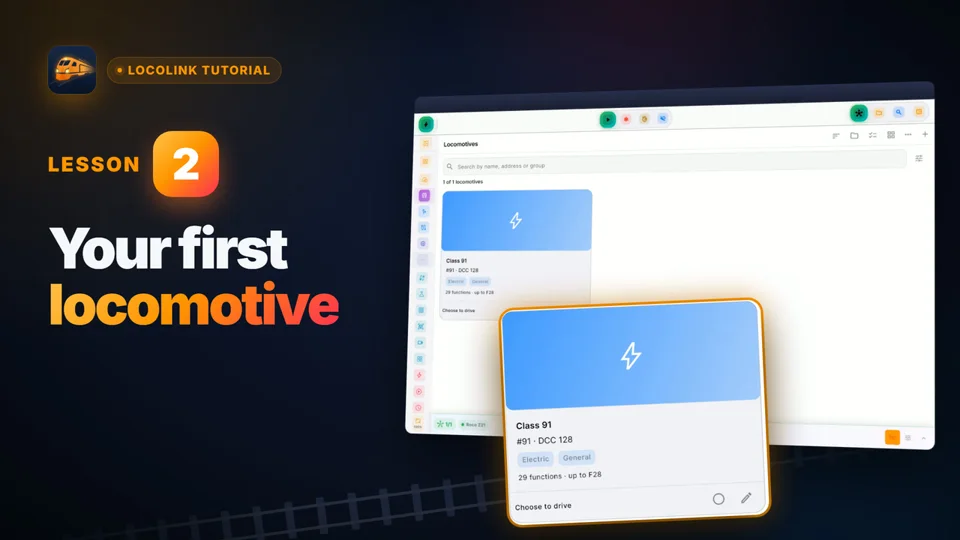
Request roster entries from the command station and keep locomotive names and functions easier to reach.
Desktop diagnostics expose EXRAIL messages, automation states, HAL devices, VPIN data and TrackManager status.
Direct setup
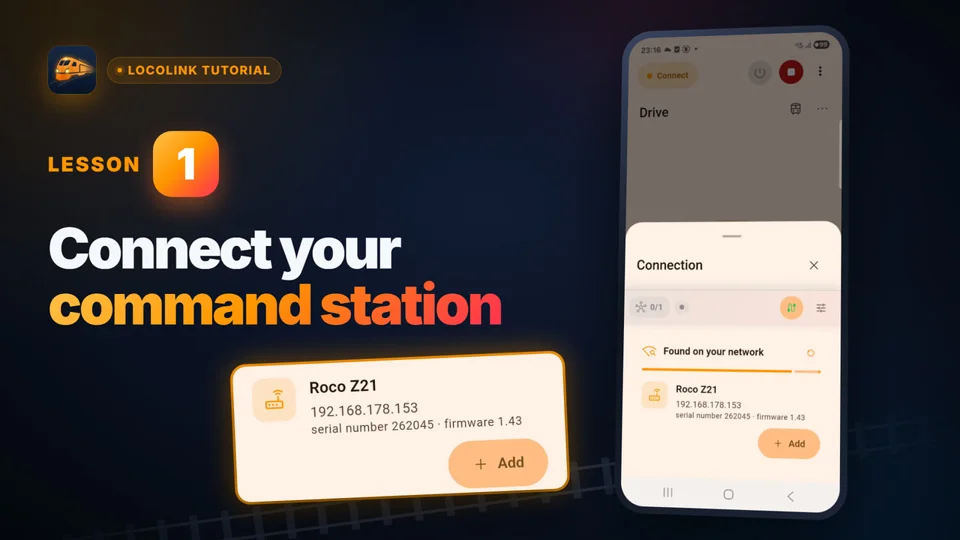
Start with a read-only handshake, then prove one low-speed command before building the complete project.
For Wi-Fi or Ethernet, use the EX-CommandStation address and native command port, normally 2560. On Windows or Mac, you can instead select its USB/serial port, normally at 115200 baud.
The connection test sends safe status queries and only accepts a recognisable DCC-EX protocol response.
Check track power, emergency stop, direction, a low speed and one known function on a clear section.
Verify one turnout and one sensor before adding the roster, track plan, routes, blocks or EXRAIL-assisted automation.
Connection and feature scope
The network and USB routes speak the native DCC-EX command protocol. WiThrottle remains a separate optional route and is not required for this integration.
| Area | LocoLink workflow | Platform or setup note |
|---|---|---|
| Native network connection | Direct TCP connection to EX-CommandStation, normally on port 2560 | Windows, Mac, iPhone and iPad on the same local network |
| Direct USB connection | DCC-EX text protocol over the selected serial device | Windows and Mac desktop; not the iPhone or iPad connection route |
| Locomotive control | Speed, direction, emergency stop and decoder functions | Test the address and speed-step behaviour at low speed |
| Accessories and feedback | Turnout commands, sensor events, track power and status | Definitions and available events depend on the command-station configuration |
| Decoder programming | CV reads/writes and supported POM workflows | Use the correct programming track and validate with the installed firmware |
| Advanced diagnostics | Roster, HAL/VPIN, EXRAIL messages, TrackManager and current-status tools | Availability depends on platform, plan, firmware and the configured DCC-EX features |
Compatibility reviewed . DCC-EX publishes the authoritative native command reference. LocoLink is independent software and is not an official DCC-EX product.
DCC-EX integration explained
LocoLink is independently developed by Westerman. It is not produced, certified or endorsed by the DCC-EX project. DCC-EX names the compatible open-source command-station platform; the software on this page is called LocoLink.
The direct route matters. LocoLink has a dedicated DCC-EX adapter that sends native text commands to EX-CommandStation over TCP. Windows and Mac can also use the same command language over USB/serial. That means a JMRI or WiThrottle bridge is not required for these direct routes.
iPhone and iPad use the network route. Put the Apple device and EX-CommandStation on the same local network, allow local-network access when iOS asks, then connect to the command station address. USB/serial is the desktop route.
Begin with track power, emergency stop and one locomotive. Once those commands are repeatable, verify one turnout and one sensor. The same LocoLink project can then add the roster, a visual track plan, routes, blocks and automation. Advanced DCC-EX diagnostics can surface EXRAIL messages, HAL/VPIN devices and TrackManager data without making those features a requirement for basic driving.
DCC-EX firmware, motor drivers, network modules and user configuration can change what the command station exposes. Keep the working setup available and test the exact hardware before relying on automation at a club or exhibition.
See the broader DCC controller app guide, compare the separate JMRI WiThrottle client route, verify the published route in the command-station adviser, or compare the full model train control software workflow. The official DCC-EX software-throttle directory lists the wider DCC-EX software ecosystem.
Short video lessons with the real app.
FAQ
Yes. LocoLink speaks native DCC-EX commands over TCP on the local network. Windows and Mac can also connect directly over USB/serial.
No. JMRI is not required for the native TCP or desktop USB route. WiThrottle/JMRI is available as a separate type of connection for installations that intentionally use it.
Yes. Connect the iPhone or iPad and EX-CommandStation to the same local network, allow local-network access and use the native TCP route.
Yes on Windows and Mac. Select the EX-CommandStation serial port and use its configured baud rate, normally 115200. USB is not the iPhone or iPad route.
Yes. LocoLink implements DCC-EX programming workflows for supported CV reads, writes and POM operations. Use the correct track setup and verify behaviour with the installed firmware.
LocoLink can expose EXRAIL messages and automation states in its advanced DCC-EX diagnostics. EXRAIL itself runs in EX-CommandStation and remains configured through the DCC-EX workflow.
No. LocoLink is independent software by Westerman that integrates with DCC-EX through its published native commands.
LocoLink is free to download and includes a 30-day Pro trial with no payment today. Paid plans are available after the trial.
Verification
DCC-EX documentation defines the native command, software-throttle and EXRAIL facts. LocoLink publishes its own platform availability and fully supported connection route; no DCC-EX endorsement is claimed.