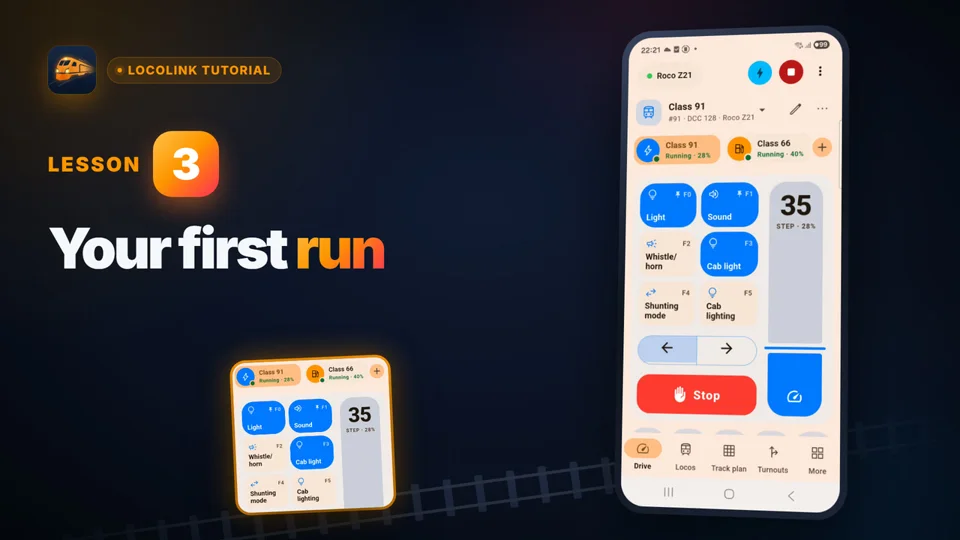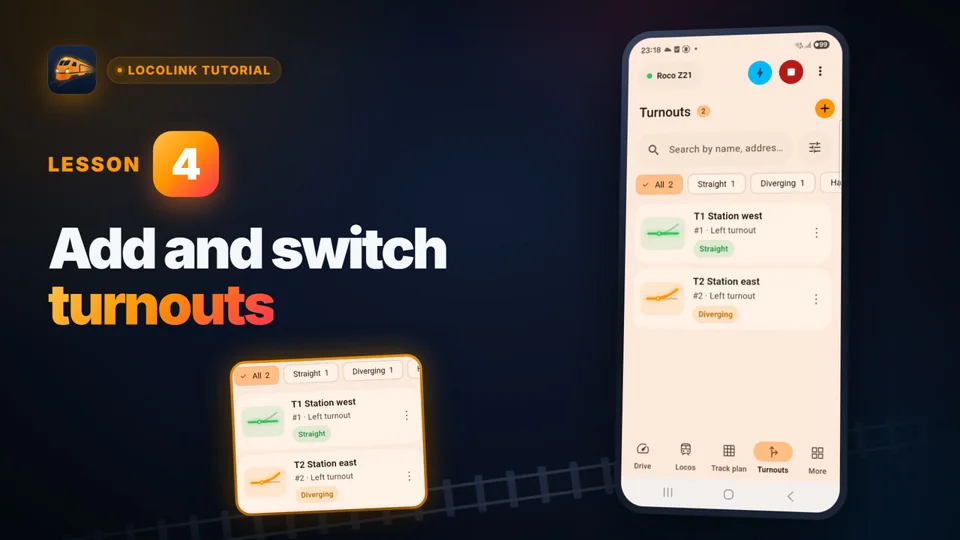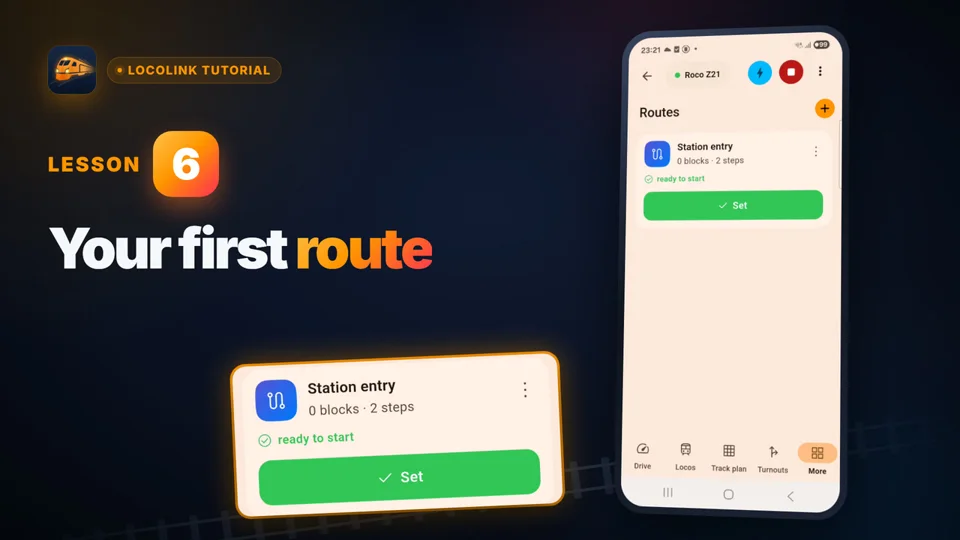
iPhone around the railway
Search the locomotive roster, choose a train and keep speed, direction, emergency stop and decoder functions within reach.
Model railway control phone app · iPhone and iPad setup
LocoLink turns an iPhone or iPad into a model railway control phone app for locomotives, decoder functions, points, signals and a visual track diagram. The Apple device connects over the local network to a compatible DCC command station; the command station and booster still create the track signal.
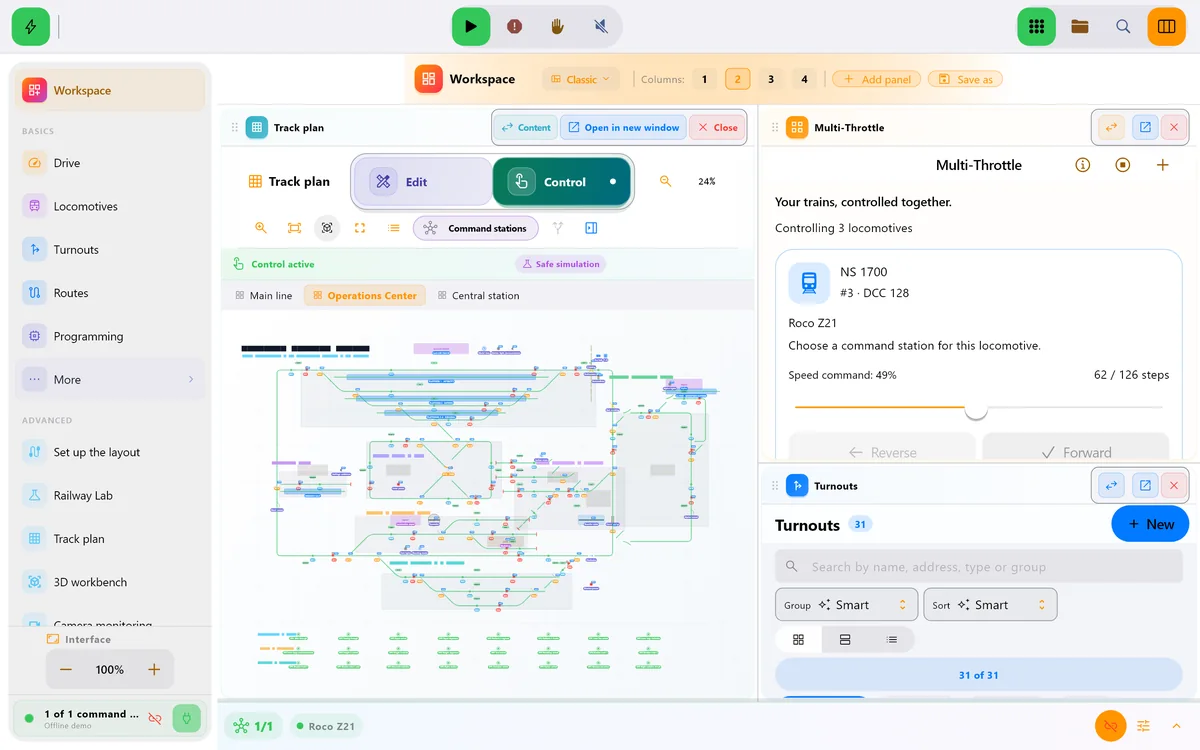
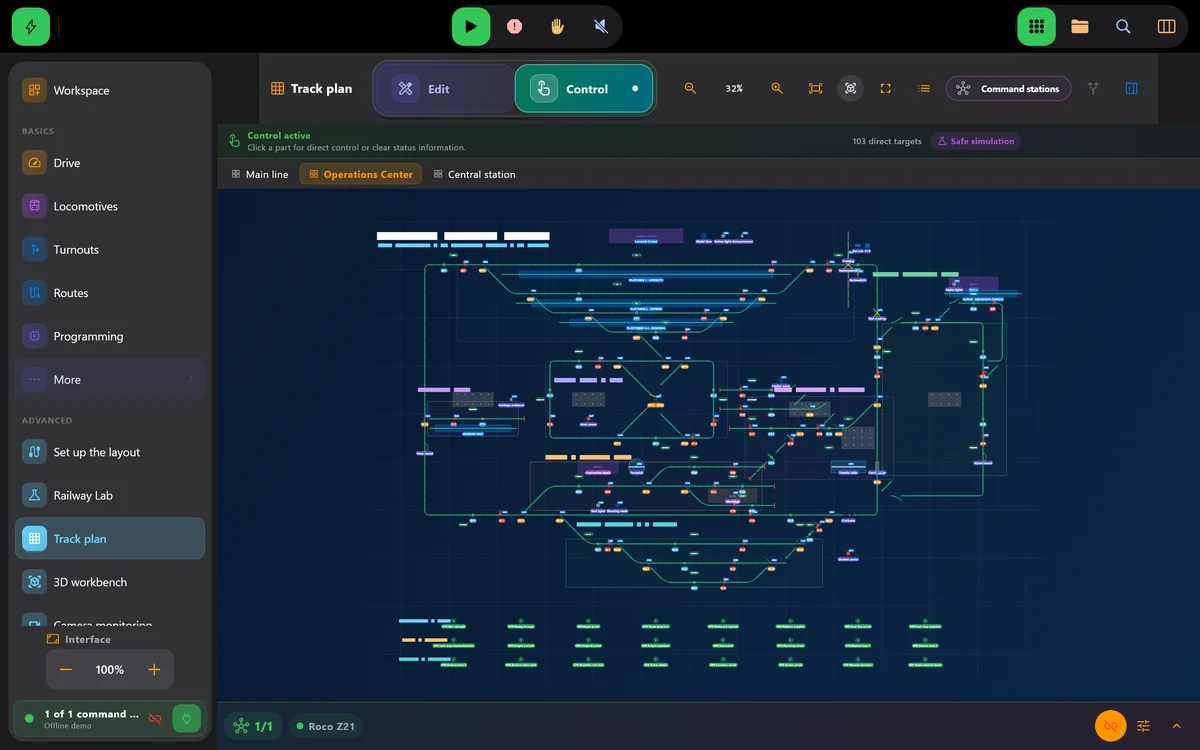
Real screens of LocoLink 2.0 on Windows, Mac, iPad and iPhone.
Choose the right Apple screen
The phone or tablet is the operator surface. Reliable railway control still depends on the exact command station, network, addresses and safety checks.
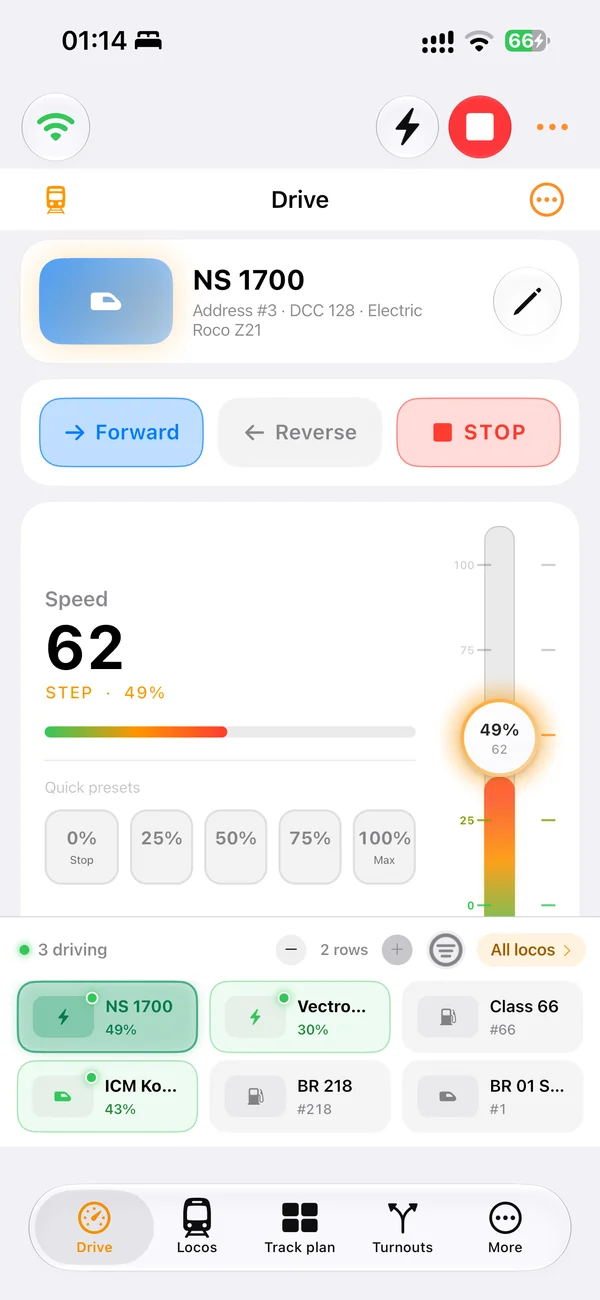
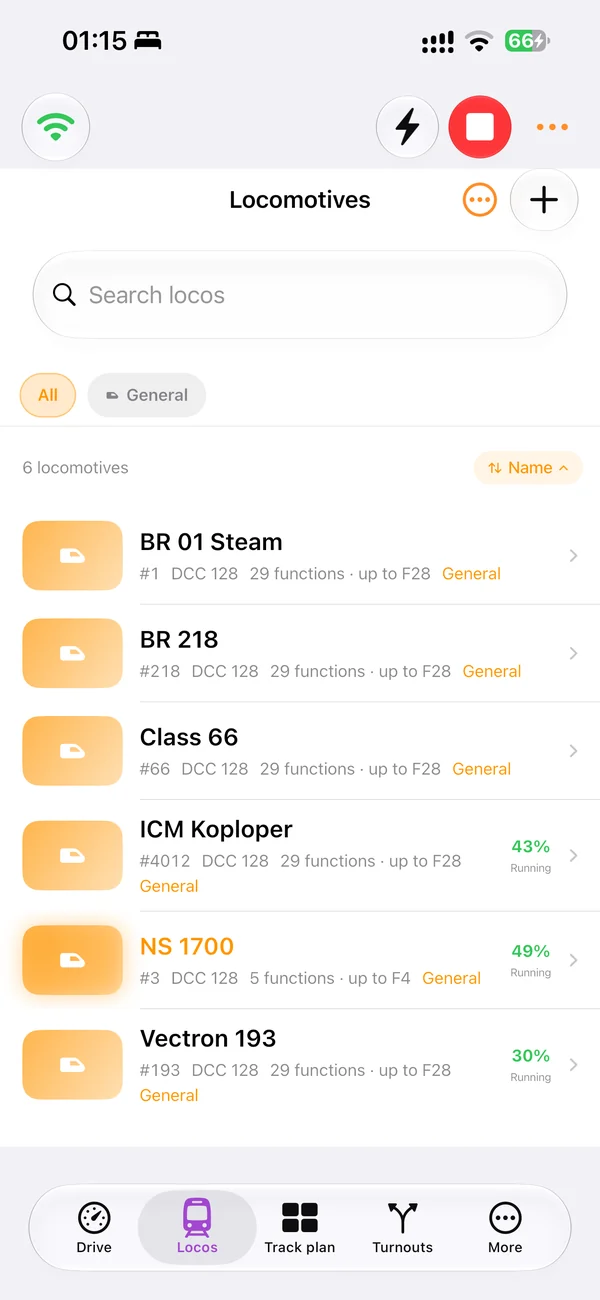
Search the locomotive roster, choose a train and keep speed, direction, emergency stop and decoder functions within reach.
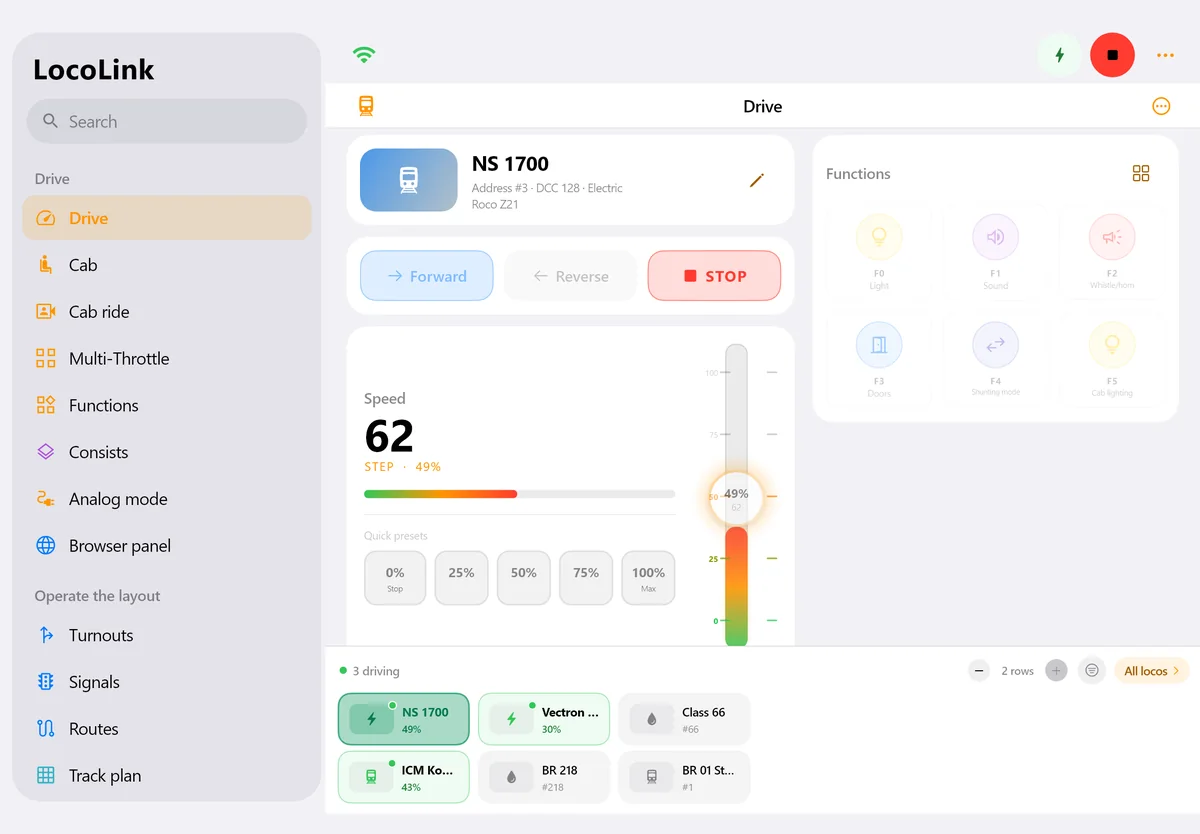
Use the larger screen for the roster, throttle, functions, points, signals, routes and track diagram during an operating session.
LocoLink communicates with the supported command station over its documented local route; mobile data is not the path to the rails.
Confirm track power and emergency stop before testing speed, direction, sound, lights or accessories.
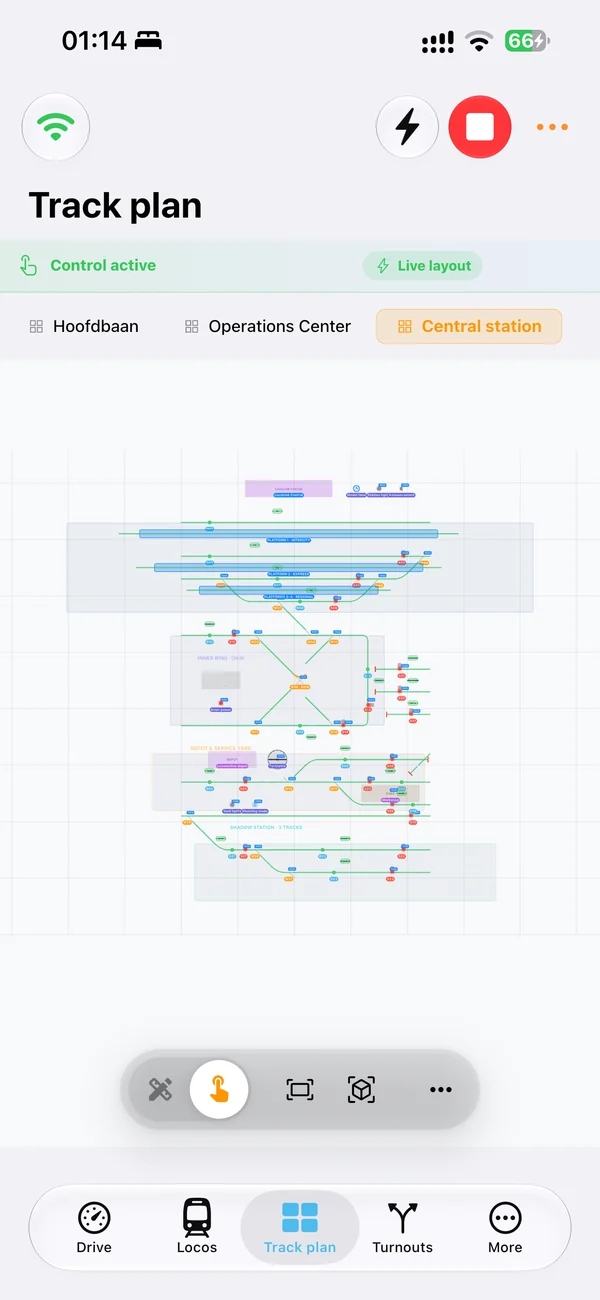
Place points, signals, blocks and routes in the context of the real railway instead of recalling addresses.
Feedback, blocks, shuttle services and timetables come after manual control and every relevant detector works repeatedly.
First connection
Commission a single locomotive on a clear test section before adding the complete roster or automatic routes.
Use iOS 17 or later on iPhone or iPadOS 17 or later on iPad, then confirm the exact supported command-station route in the LocoLink adviser.
Connect the Apple device to the railway network. When iOS or iPadOS asks, allow LocoLink local-network access so it can reach the command station.
Keep the line clear, test emergency stop, address, direction, one function and low-speed response, then add one point and the wider project.
Commissioning checklist
Record the result for the exact device, operating system, command station, firmware and layout.
| Check | How to test it | Pass condition |
|---|---|---|
| Apple compatibility | Open the current App Store compatibility section | iPhone has iOS 17+ or iPad has iPadOS 17+ |
| Local-network permission | Open Settings → Privacy & Security → Local Network | LocoLink is allowed to access local devices |
| Command-station path | Use the LocoLink compatibility adviser | Exact station and required interface or gateway are confirmed |
| Emergency stop | Trigger it while one locomotive moves slowly | The locomotive stops and the app state stays unambiguous |
| Direction and function | Repeat forward, reverse and one mapped function | Only the selected decoder responds correctly |
| Point and track diagram | Switch one point from the diagram | Physical position and on-screen state agree |
Compatibility reviewed . Apple documents where local-network access can be changed. The command-station manufacturer remains the authority for its network, interface and firmware; LocoLink documents the supported integration route.
Actual iPhone and iPad screens
These are current LocoLink product screens showing the locomotive roster on iPhone, the complete drive view on iPad and the track diagram used to operate the railway.
How the control path works
The iPhone or iPad does not put DCC power on the rails. LocoLink sends an operator command through the supported local connection. The digital command station translates that request, the booster supplies the track signal and power, and the addressed locomotive or accessory decoder performs the action.
This separation explains why a generic claim such as “DCC compatible” is not enough. A command station must expose a usable network, USB, serial, interface or gateway path. Every system listed in the LocoLink compatibility adviser is fully supported, but the adviser still identifies the required route for the exact model.
Install LocoLink on an iPad with iPadOS 17 or later, connect it to the same local railway network as the supported command station and allow Local Network access when Apple asks. Prove emergency stop, direction and one point at low speed before loading the complete railway. The larger iPad screen is useful for the roster, throttle, decoder functions and track diagram together.
If LocoLink cannot reach the command station, confirm the correct Wi-Fi and that LocoLink remains enabled under Settings, Privacy & Security, Local Network. Guest Wi-Fi, client isolation, a different subnet or a locked command-station interface can prevent discovery. Normal railway control stays on the configured local route; downloads, licensing and optional online services are separate.
For a club or exhibition railway, retain the existing working setup, a project backup and a manual fallback. Test reconnecting, emergency stop, every critical point and the stopping behaviour of one route on the real hardware before mobile control becomes the primary operating method.
A tablet does not supply power to the rails. A compatible command station and interface are still needed. The native LocoLink mobile app is available for iPhone and iPad; a native Android edition is not currently released. Check the current downloads before choosing a device.
Compare the complete model railway control software environment, see why LocoLink is the best model railway app for this workflow, or follow the computer-controlled model railway UK setup guide before adding feedback and automation.
Short video lessons with the real app.
FAQ
Yes. LocoLink runs natively on iPhone with iOS 17 or later and connects to a compatible command station over the supported local route.
Install LocoLink on an iPad with iPadOS 17 or later, join the railway network, allow Local Network access and connect through the documented route for the exact command station.
Yes. LocoLink provides locomotive control, functions, points, signals, a track diagram, decoder tools and optional automation on iPad.
No. LocoLink is the operator interface. The command station and booster still generate the digital track signal and provide the physical connection to the railway.
Check the correct Wi-Fi, Apple Local Network permission, station address, interface or gateway, firmware, guest-network isolation and any required hardware activation.
The normal control path to the command station is local. Internet access may be used separately for downloads, licensing or optional services.
iPhone is convenient as a handheld throttle; iPad provides more space for the roster, functions and track diagram. Many railways benefit from using each for a different operating role.
No. LocoLink publishes this guide and supplies the product screenshots. The method is repeatable and technical claims link to primary sources, but this is not an independent laboratory test.
Verification
This guide is written and published by LocoLink, not an independent laboratory. Apple-device requirements and network permission come from Apple; DCC and example network details link to the relevant primary technical sources.