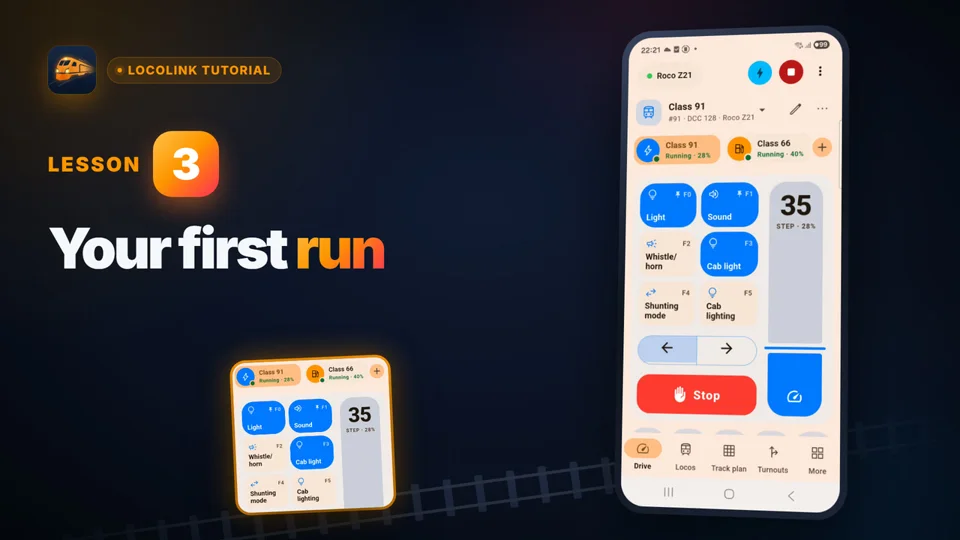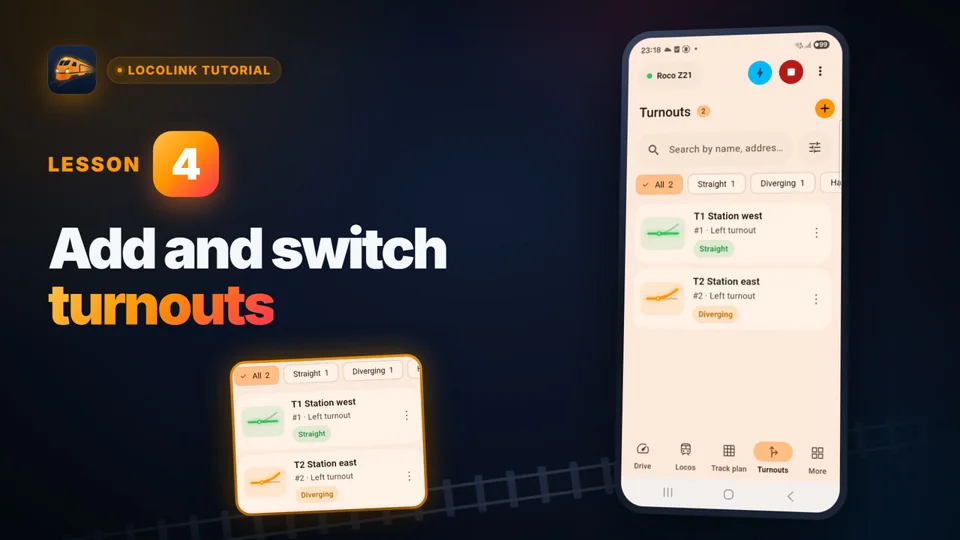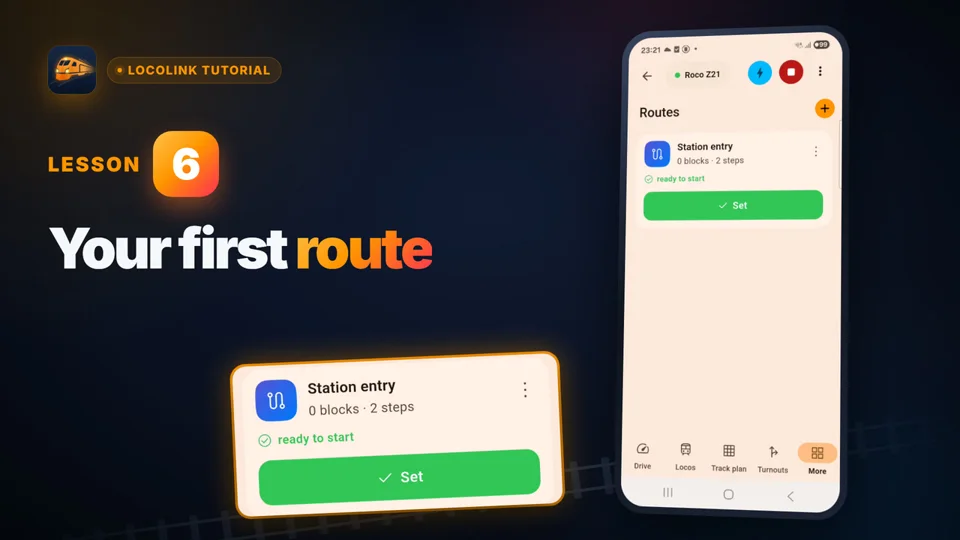
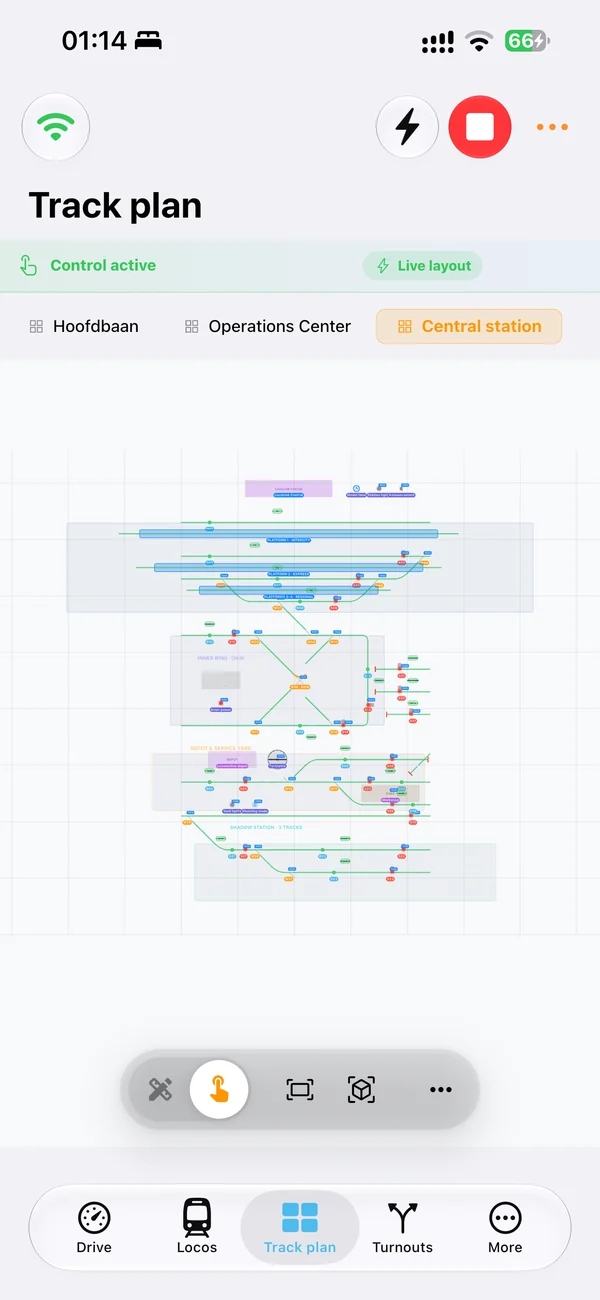
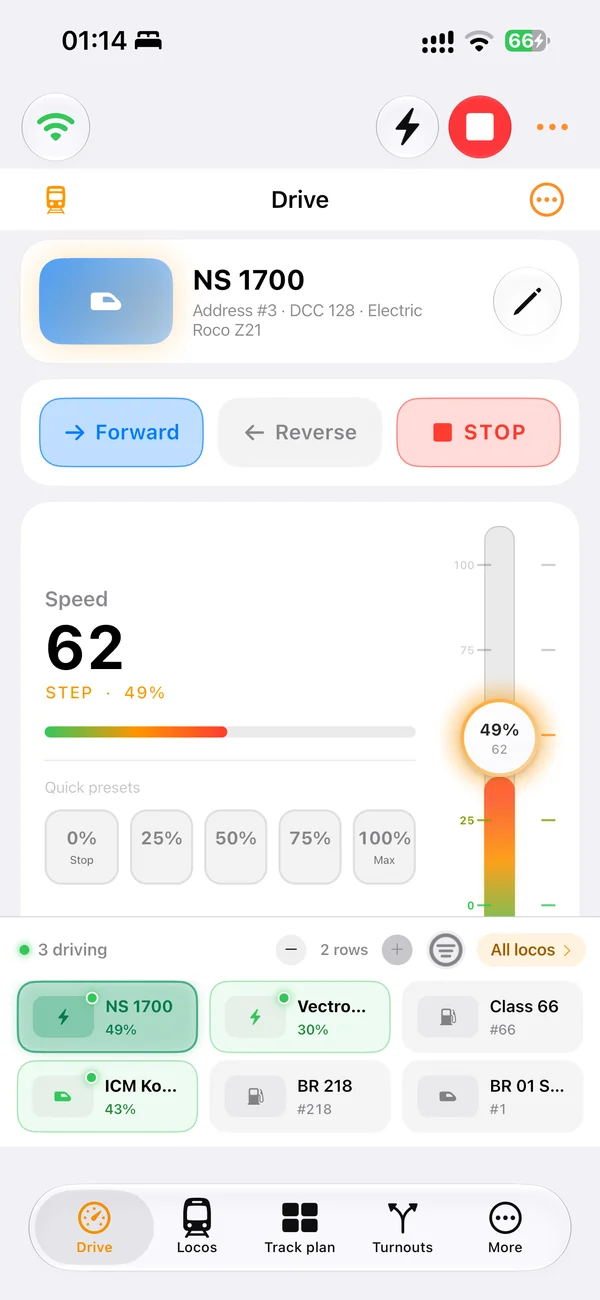
iPhone around the layout
Search the locomotive roster, choose a train and keep speed, direction, emergency stop and decoder functions within reach.
Locomotive control app · iPhone and iPad setup
LocoLink is a native locomotive control app for iPhone and iPad. Download it free and connect over the local network to a compatible DCC command station for speed, direction, functions, turnouts, signals and a visual track plan. New users can test the complete Pro workflow for 30 days without payment today; continued paid features require a plan.
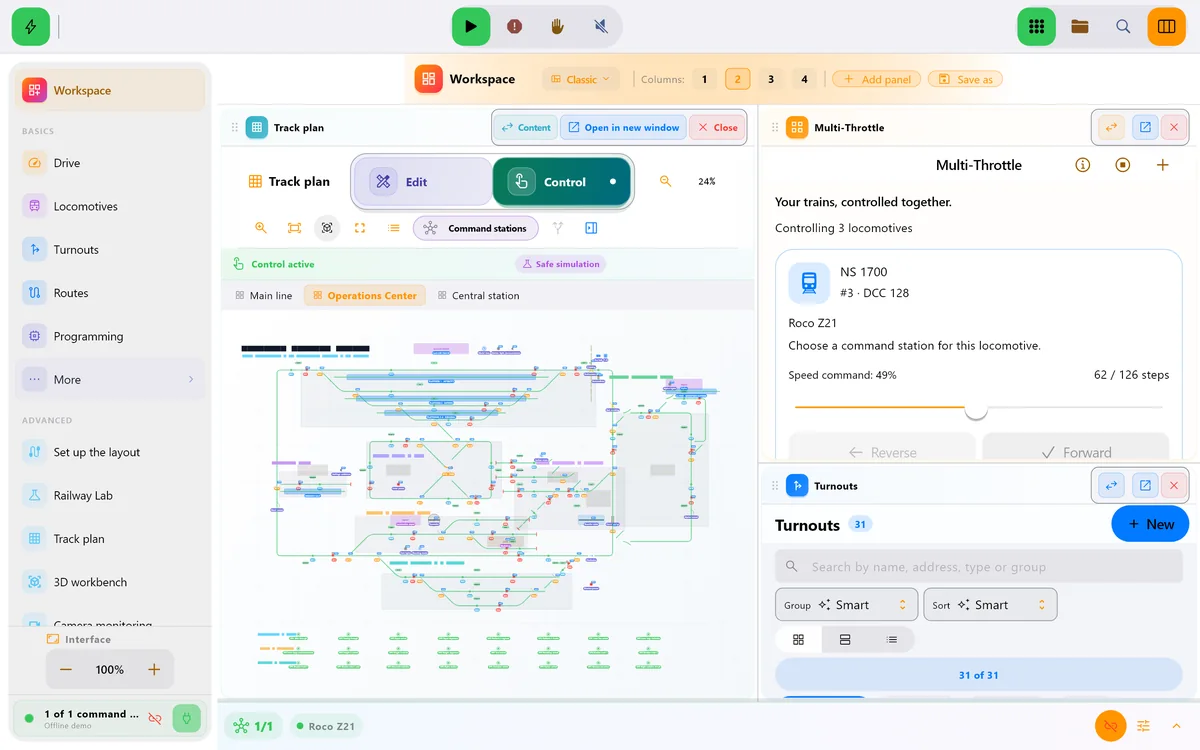
Real screens of LocoLink 2.0 on Windows, Mac, iPad and iPhone.
Choose the right Apple screen
The mobile device is the operator surface. Reliable train control still depends on the exact command station, network, addresses and safety checks.
Search the locomotive roster, choose a train and keep speed, direction, emergency stop and decoder functions within reach.
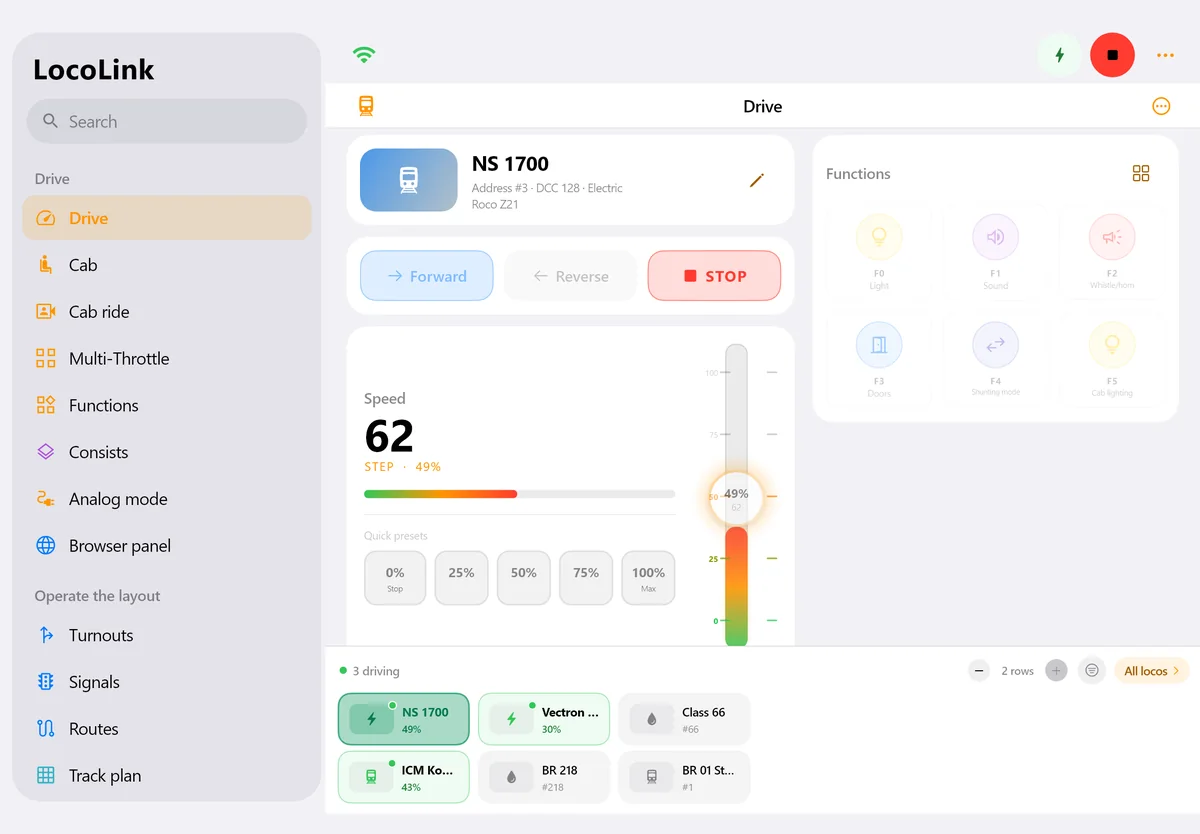
Use the larger screen for the roster, throttle, functions, turnouts, signals, routes and visual track plan during an operating session.
LocoLink communicates with the supported command station over its documented local connection; mobile data is not the path to the rails.
Confirm track power and emergency stop before testing speed, direction, sound, lights or accessories.
Place points, turnouts, signals, blocks and routes in the context of the real layout instead of recalling addresses.
Feedback, blocks, shuttles and schedules come after manual control and every relevant sensor address work repeatedly.
First connection
Commission a single locomotive on a clear test section before adding the complete roster or automatic routes.
Use iOS 17 or later on iPhone or iPadOS 17 or later on iPad, then confirm the exact fully supported command-station route in the LocoLink adviser.
Connect the Apple device to the railway network. When iOS or iPadOS asks, allow LocoLink local-network access so it can reach the command station.
Connect, keep the line clear, test emergency stop, address, direction, one function and low-speed response, then add one turnout and the wider project.
Commissioning checklist
Record the result for the exact device, operating system, command station, firmware and layout.
| Check | How to test it | Pass condition |
|---|---|---|
| Apple compatibility | Open the current App Store compatibility section | iPhone has iOS 17+ or iPad has iPadOS 17+ |
| Local-network permission | Open Settings → Privacy & Security → Local Network | LocoLink is allowed to access local devices |
| Command-station path | Use the LocoLink compatibility adviser | Exact station and required interface or gateway are confirmed |
| Emergency stop | Trigger it while one locomotive moves slowly | The locomotive stops and the app state stays unambiguous |
| Direction and function | Repeat forward, reverse and one mapped function | Only the selected decoder responds correctly |
| Turnout and track plan | Switch one accessory from the diagram | Physical position and on-screen state agree |
Compatibility reviewed . Apple documents where local-network access can be changed. The command-station manufacturer remains the authority for its network, interface and firmware; LocoLink documents the supported integration route.
Actual iPhone and iPad screens
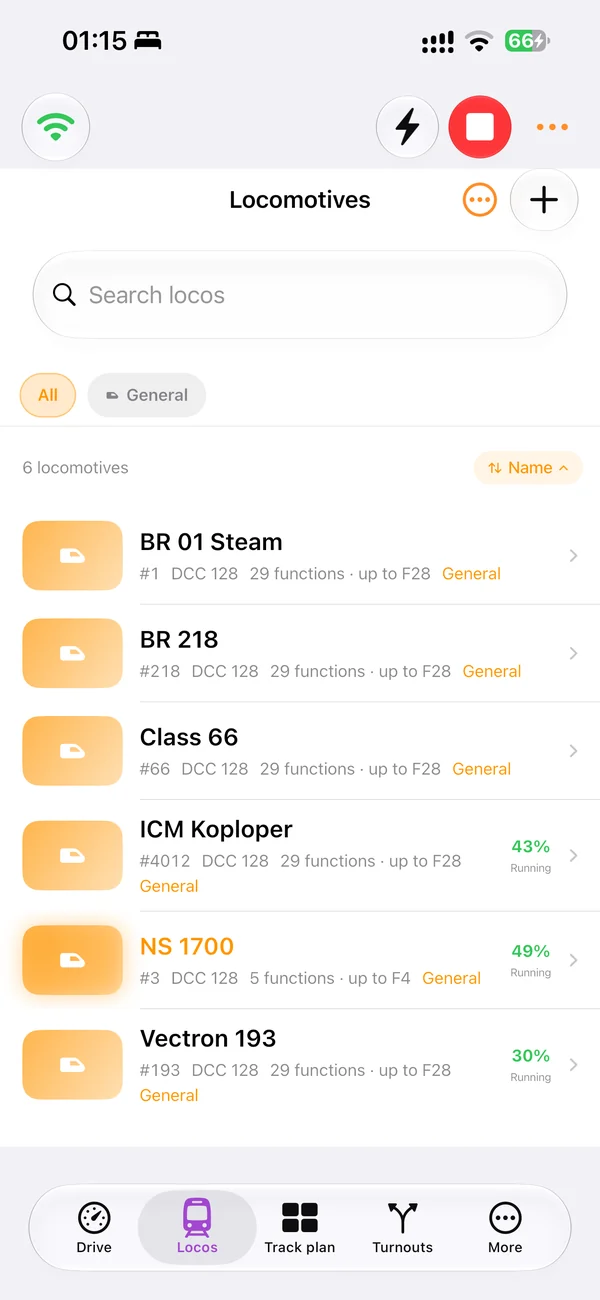
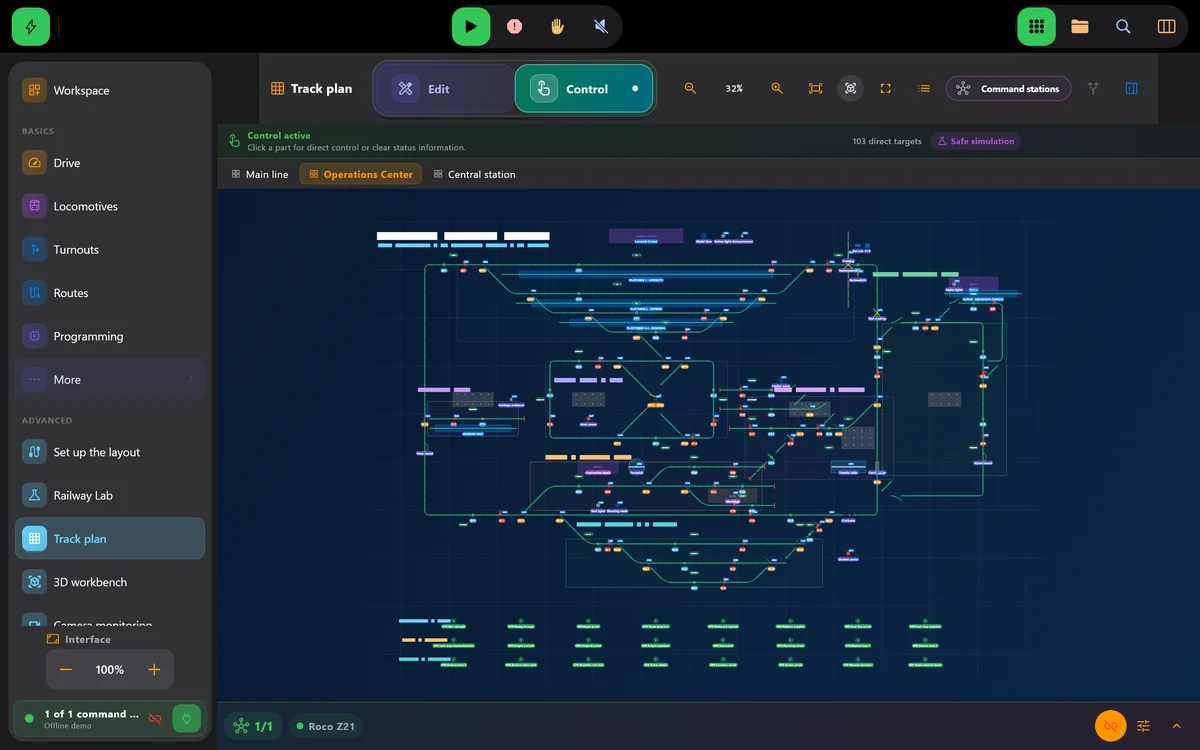
These are current LocoLink product screens. They show the locomotive roster on iPhone, the complete drive view on iPad and the track plan used for layout control.
How the control path works
The iPhone or iPad does not put DCC power on the rails. LocoLink sends an operator command through the supported local connection. The digital command station translates that request, the booster supplies the track signal and power, and the addressed locomotive or accessory decoder performs the action.
This separation explains why a generic claim such as “DCC compatible” is not enough. A command station must expose a usable network, USB, serial, interface or gateway path. Every system listed in the LocoLink compatibility adviser is fully supported, but the adviser still identifies the required route for the exact model.
Apple requires apps that interact with devices on the local network to request permission. If LocoLink cannot find or reach the command station, first confirm that the iPhone or iPad is on the correct Wi-Fi and that LocoLink remains enabled under Settings, Privacy & Security, Local Network. Guest Wi-Fi, client isolation, a different subnet or a locked command-station interface can also prevent discovery.
Local-network access is not the same as sending train commands through the public internet. Normal layout control stays between the Apple device and the command station on the configured local route. Downloads, licensing and optional online services are separate.
An iPhone works well as a handheld throttle when the operator follows a train. An iPad offers more space for the locomotive roster, functions and track plan. The right choice depends on how many controls must remain visible and whether the operator stands at a control desk or walks around the railway.
For a club or exhibition layout, retain the existing working setup, a project backup and a physical or manual fallback. Test reconnecting, emergency stop, every critical point and the stopping behaviour of one route on the real hardware before mobile control becomes the primary operating method.
Read how the broader DCC controller app path works, compare the best model train app for your hardware, or follow the British computer-controlled model railway UK setup guide.
Short video lessons with the real app.
FAQ
LocoLink is free to download on iPhone and iPad and new users receive a 30-day Pro trial without payment today. Continued access to paid features requires a plan after the trial.
Yes. LocoLink runs natively on iPhone with iOS 17 or later and connects to a compatible command station over the supported local route.
Yes. LocoLink runs on iPadOS 17 or later and provides locomotive control, functions, turnouts, signals, a track plan, decoder tools and optional automation.
No. LocoLink is the operator interface. The command station and booster still generate the digital track signal and provide the physical connection to the layout.
Check the correct Wi-Fi, Apple local-network permission, station address, interface or gateway, firmware, guest-network isolation and any required hardware activation.
The normal control path to the command station is local. Internet access may be used separately for downloads, licensing or optional services.
iPhone is convenient as a handheld throttle; iPad provides more space for the roster, functions and track plan. Many layouts benefit from using each for a different operating role.
Yes. Supported accessories can be controlled directly or from the visual track plan after their addresses and physical states have been verified.
No. LocoLink publishes this guide and supplies the product screenshots. The method is repeatable and technical claims link to primary sources, but no independent laboratory result is claimed.
Verification
This guide is written and published by LocoLink, not an independent laboratory. Apple-device requirements and network permission come from Apple; DCC and example network details link to the relevant primary technical sources.