Control and automation software
Connects to compatible layout hardware to drive locomotives, operate turnouts and signals, program decoders, read feedback and automate movements.
Model train software guide · four categories · reviewed 13 August 2026
Model train software can control a real railroad, design a future track plan, catalogue a collection or simulate a virtual layout. LocoLink belongs to the control category: it connects to a supported command station and operates locomotives, turnouts, signals, feedback and automatic routes. It is not general CAD, inventory or game software.
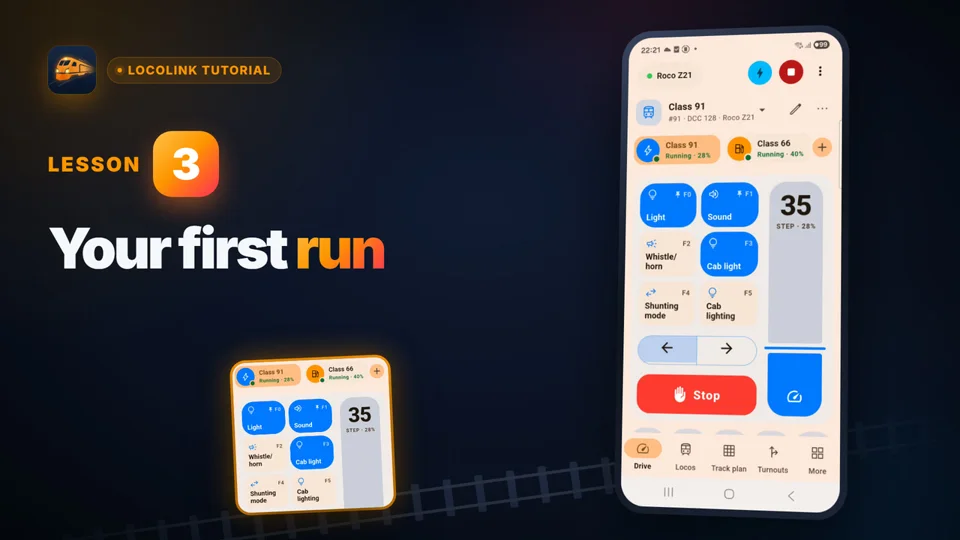
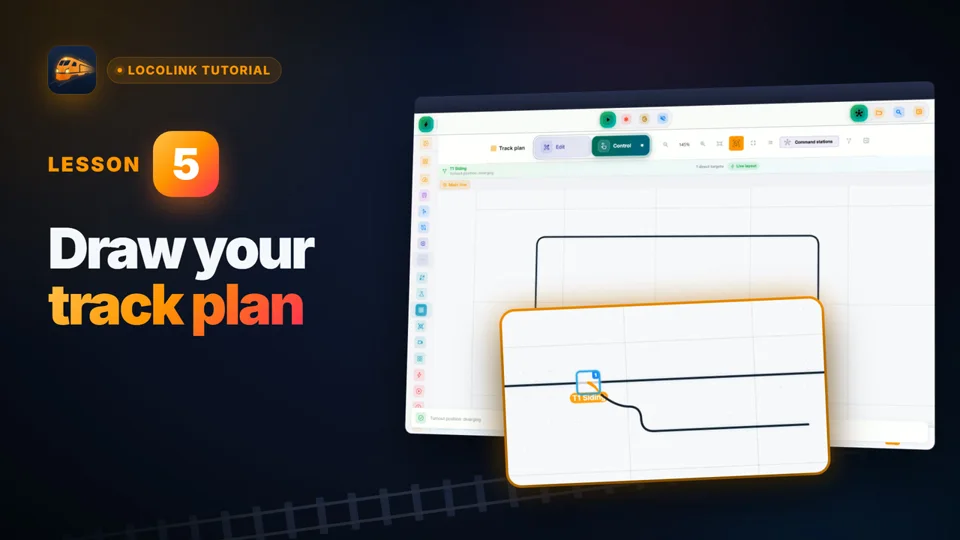
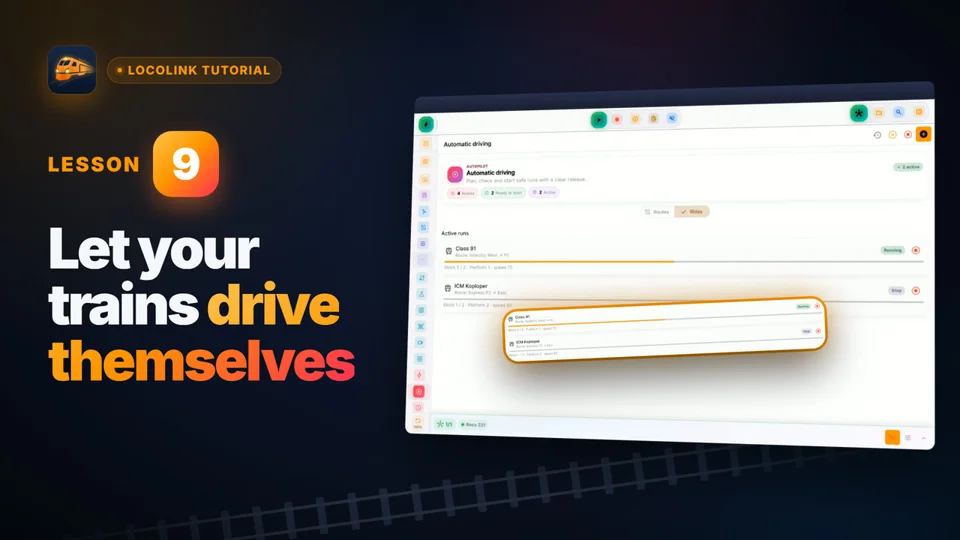
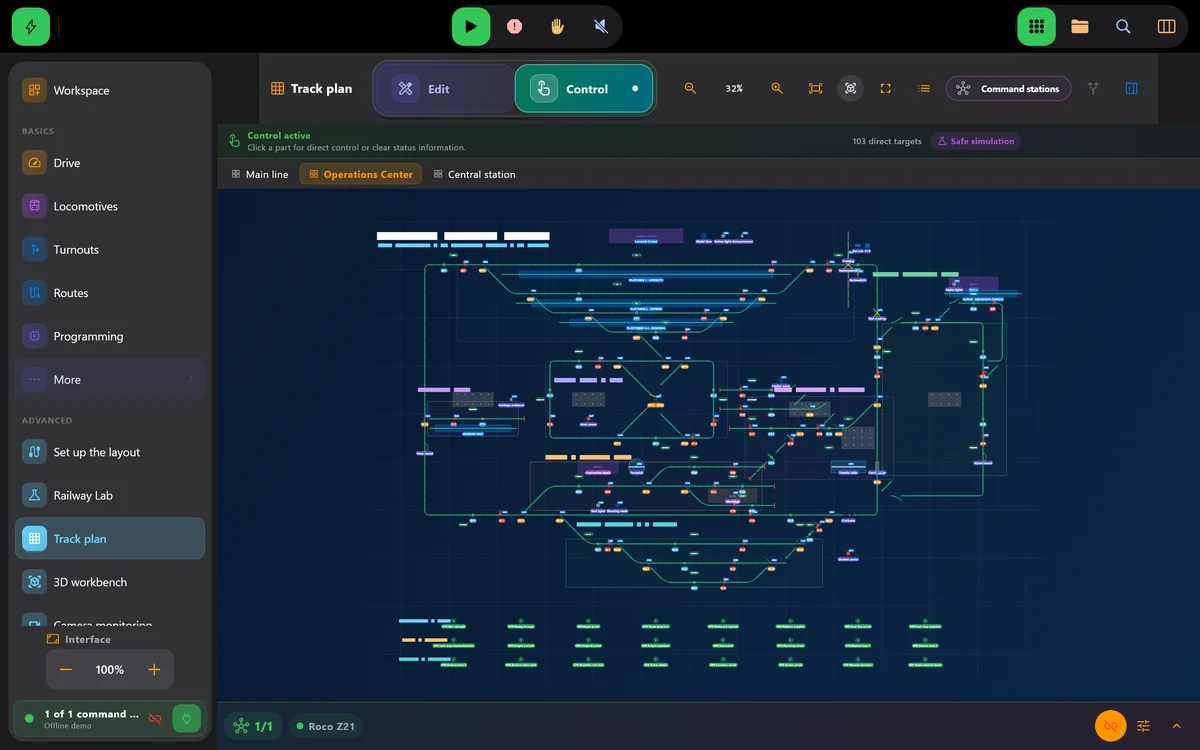
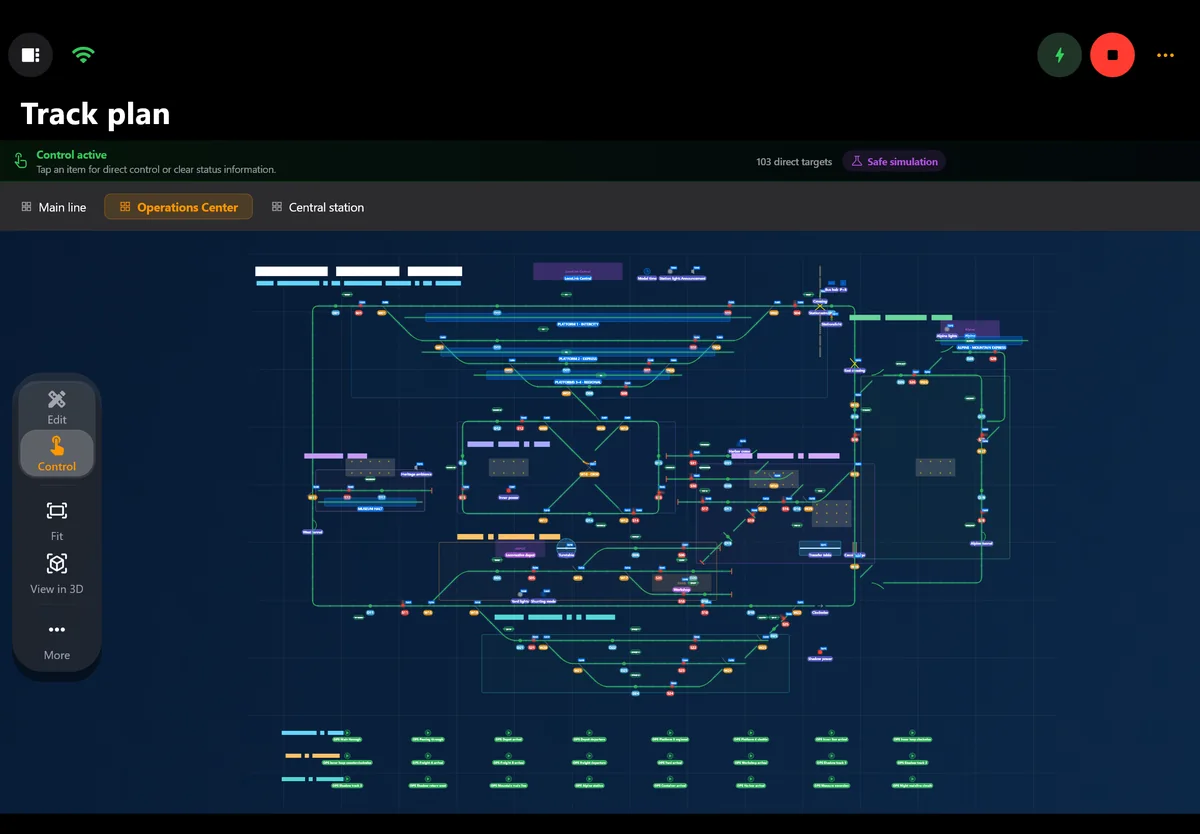
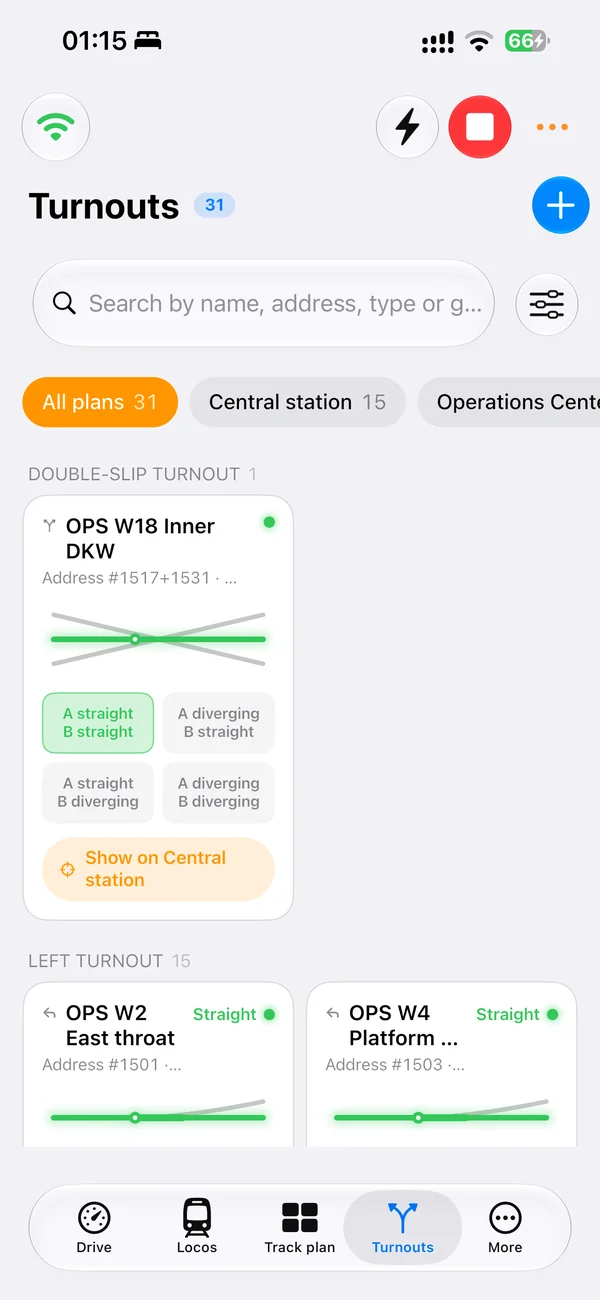
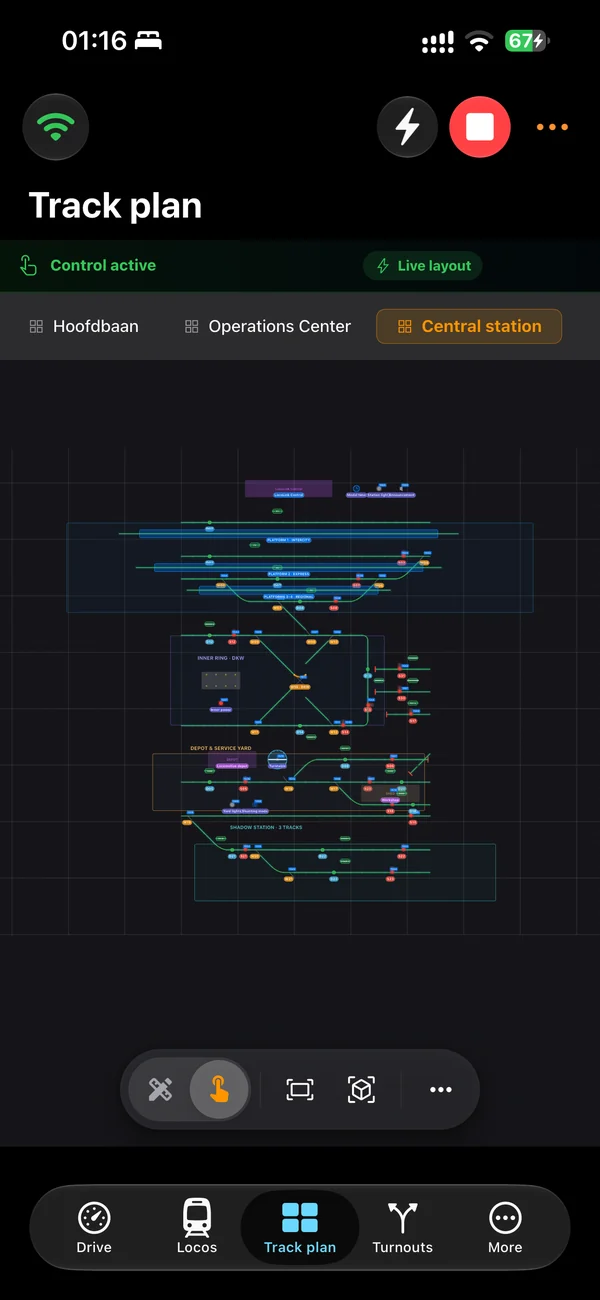
Real screens of LocoLink 2.0 on Windows, Mac, iPad and iPhone.
Start with the job
These categories can work together, but they solve different problems. Choosing the job first prevents a planning tool, database or simulator from being mistaken for layout-control software.
Connects to compatible layout hardware to drive locomotives, operate turnouts and signals, program decoders, read feedback and automate movements.
Designs baseboards, track geometry, gradients, clearances and parts lists before or during construction. SCARM, AnyRail and RailModeller are examples.
Catalogues locomotives, rolling stock, photos, purchase details, maintenance and documents. It does not normally send commands to the rails.
Runs trains on a computer-generated or prepared virtual layout. It is useful without physical hardware but is a different job from controlling a real railroad.
A planner may export a panel or parts list, but an export does not make it operational control software. Verify exactly what transfers and what must be rebuilt.
For real-layout control, match the exact command station, interface, firmware and operating devices before comparing features or prices.
Choose in three checks
Write down the outcome you need before downloading a product. One railroad may use a planner, an inventory tool and control software side by side.
Choose between designing track, cataloguing models, operating a virtual railway or controlling the physical layout.
For control software, verify the exact command station and interface. For other categories, check the operating system, file formats and export needs.
Use a small plan, a few collection items or one low-speed locomotive before committing the complete layout or database.
Category comparison
The examples below are not a universal ranking. They show which category to investigate for the outcome you actually need.
| Software category and examples | Primary job | Controls a physical layout? |
|---|---|---|
| Control and automation LocoLink, JMRI, Rocrail, iTrain | Operate locomotives, accessories, feedback, routes and automation through compatible digital hardware | Yes, when the exact command station and connection route are supported and configured |
| Track planning and CAD SCARM, AnyRail, RailModeller Pro | Design geometry, levels, baseboards, scenery and a parts list before construction | Not as their primary job; an export or simulator extension is not the same as live DCC control |
| Collection and inventory Model Rail Inventory | Record models, values, photos, documents, maintenance and DCC settings | No; storing a DCC address or CV record does not send it to a decoder |
| Virtual operation and simulation TrainPlayer | Operate a prepared or computer-generated virtual model railroad | Normally no; the train movement exists in the simulated layout rather than on physical track |
Compatibility reviewed . Published by LocoLink. Category and competitor descriptions are limited to the linked first-party product documentation; no payment determines inclusion or order.
Where LocoLink fits
LocoLink is model train control software. It provides locomotive throttles, a visual operational track plan, turnout and signal control, DCC decoder tools, feedback, blocks, routes and automation on Windows, Mac, iPhone and iPad. The command station and booster still create the digital track signal; LocoLink is the control room.
A LocoLink track plan is an operating diagram. Its track, turnout, signal and feedback objects are mapped to the real railroad so an operator can see and control the layout. That is different from general track-planning CAD, whose main purpose is proving geometry, room fit, gradients and the list of pieces before construction.
Choose SCARM, AnyRail or RailModeller when the immediate problem is designing the physical arrangement of a future layout. Choose an inventory product when the problem is knowing what you own, where it is stored and when it was serviced. Choose a virtual simulator when you want computer-only operation without building or connecting a physical railroad.
Many model railroaders need more than one category. Plan the layout in dedicated design software, catalogue the rolling stock in an inventory tool and use LocoLink or another compatible control environment during operating sessions. Treat any file exchange as a separate capability: verify what exports, what imports and which operational addresses still need checking.
This guide is written and published by LocoLink. LocoLink is tested in-house; the other products are described from their official documentation. It does not claim an independent laboratory test, paid ranking or one universal winner.
Start with the job: driving real trains, drawing a track plan, keeping a collection catalogue or running a simulation. For operating a real layout, the command station and connection matter first. LocoLink brings locomotive control, an operational track diagram, decoder tools and automation into one application.
Use the model railroad control guide for a desktop setup, or the iPhone and iPad guide for handheld operation. Check the exact command-station connection before buying hardware or moving an existing layout.
For the complete control-software comparison, continue with the US model train control software guide. If a phone or tablet is the main control surface, compare the best model train app. The DCC controller app guide explains how software, command station, booster and decoder work together.
Choosing an app for live operation? Use the focused model train control app comparison.
Want a smartphone beside the layout? Use the locomotive control app for iPhone and iPad guide.
Short video lessons with the real app.
FAQ
The best software depends on the job. LocoLink is our recommendation for a modern real-layout control workflow on Windows and Apple devices. For track design compare dedicated planners such as SCARM, AnyRail and RailModeller; for collection management use dedicated inventory software.
Control software such as LocoLink, JMRI, Rocrail or iTrain communicates with compatible digital hardware. The exact command station, interface, firmware and operating devices determine whether a particular setup works.
No. LocoLink includes an operational track-plan editor for controlling real turnouts, signals, feedback and routes. It is not general CAD or 3D planning software for proving construction geometry.
Planning, inventory and virtual-simulation software can. Software that controls a physical digital layout normally needs a compatible command station, interface or gateway plus the appropriate track power system.
Yes. They solve different stages of the project. Check whether a planner offers a useful export, but expect to verify operational addresses, feedback and safety behaviour again in the control software.
Android is coming soon. LocoLink runs today on Windows, Mac, iPhone, iPad and Linux (Ubuntu 22.04 and 24.04 on Intel/AMD 64-bit).
Verification
LocoLink publishes this guide and checks its own product in-house. Every named alternative is described from its official product or project documentation, with no paid placement.