Local network control
Connect through the Z21 LAN interface without routing train commands through a cloud service.
LocoLink · independent software for Roco/Fleischmann Z21
LocoLink is the app; Z21 is the supported command station. Connect them over your local network to drive locomotives, switch accessories, build a track plan, program DCC decoders and grow into feedback-based automation.
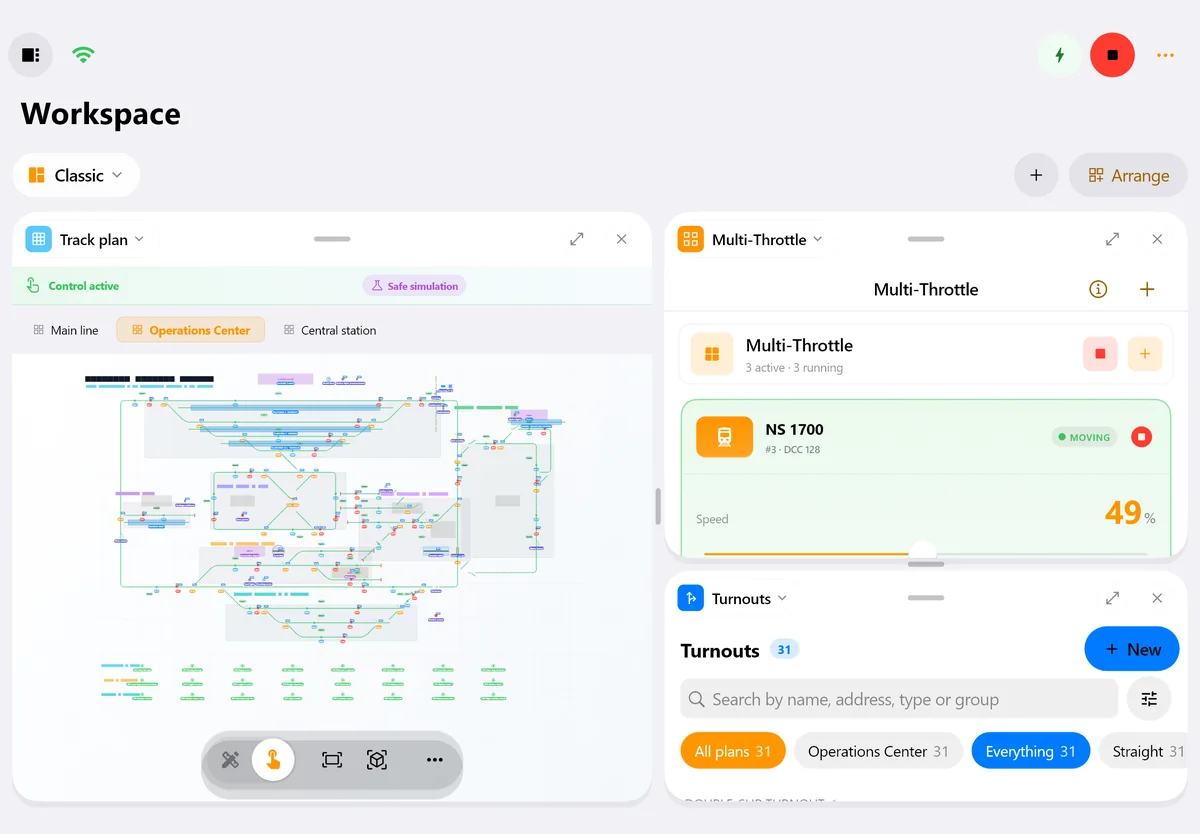
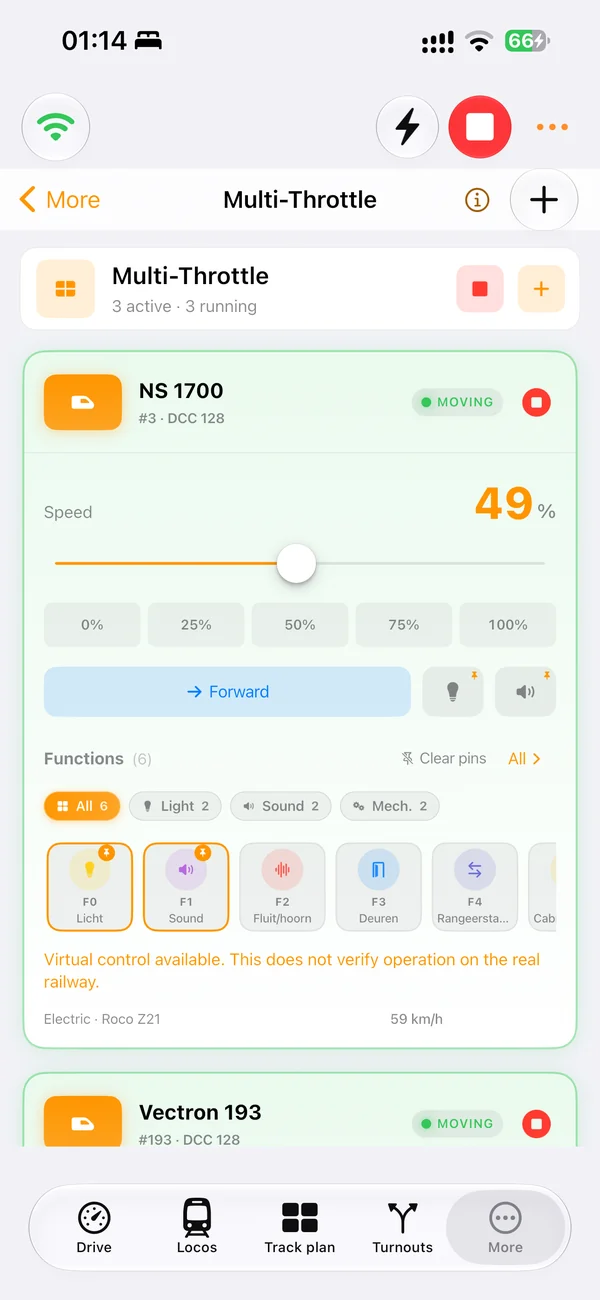
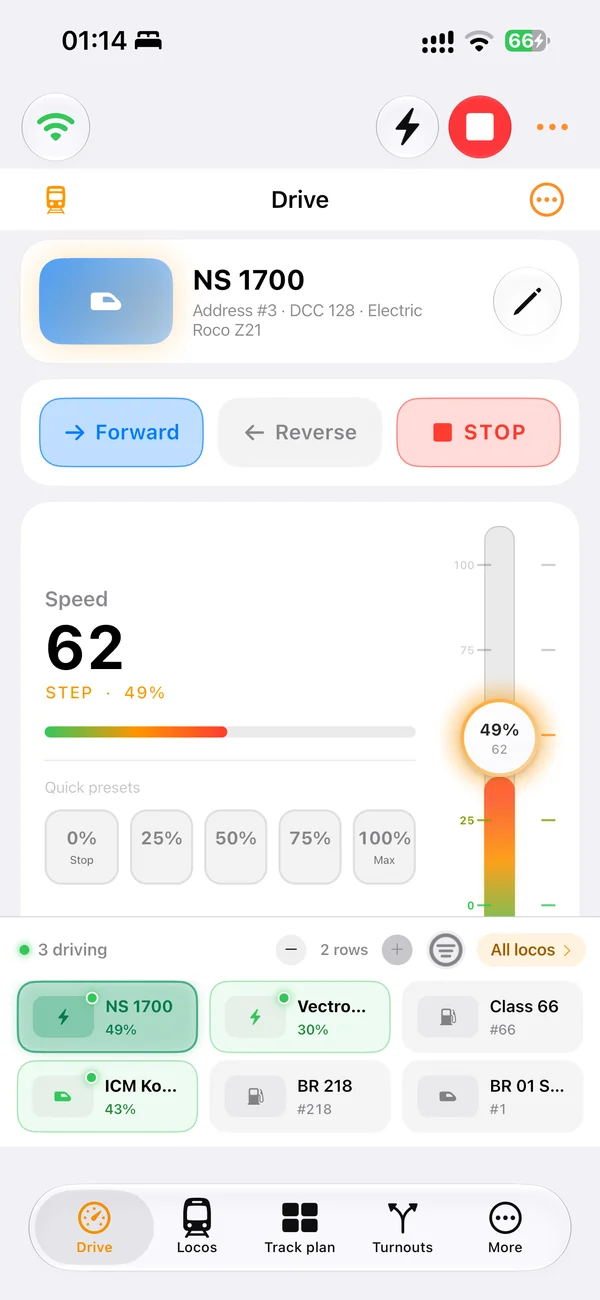
Real screens of LocoLink 2.0 on Windows, Mac, iPad and iPhone.
“Making the hobby feel like it can keep up with modern technology is a joy. Whether it is asking Siri to 'stop Mallard' or using a PlayStation 5 controller — I constantly had a smile on my face.”★★★★★ App Store Review · United Kingdom Review evidence and repeatable test guide
Z21 workflow
The Z21 family provides a strong base for app control. LocoLink adds a consistent project across Windows and Apple devices.
Connect through the Z21 LAN interface without routing train commands through a cloud service.
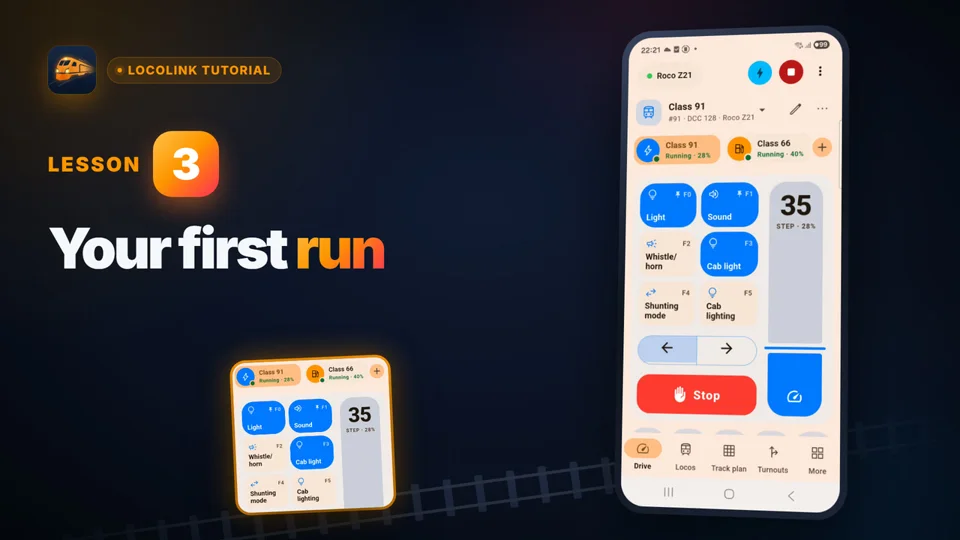
Control speed, direction, emergency stop and decoder functions with a modern UI.
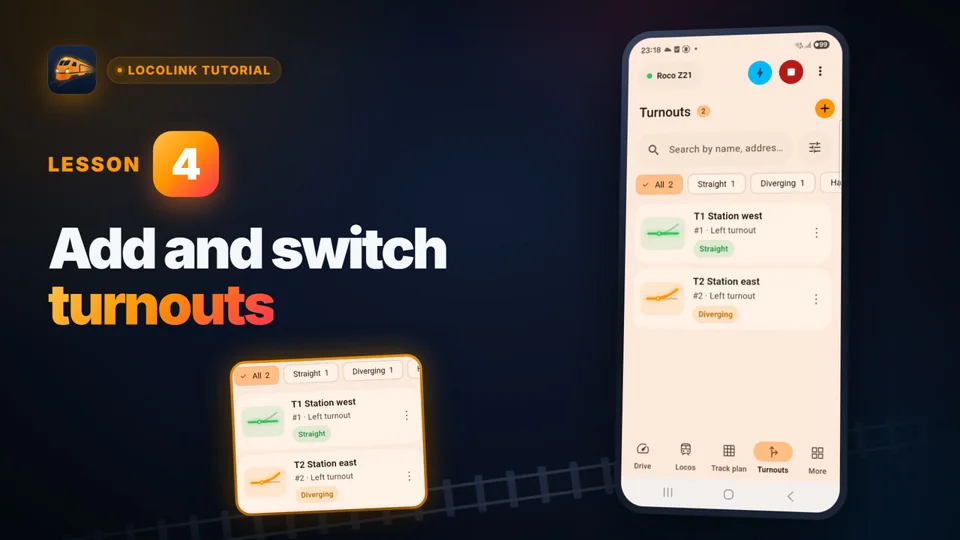
Operate turnouts and signals in the context of your complete layout.
Use supported Z21 programming workflows for CV reading, writing and speed tables.
Bring supported feedback data into block control and automatic operation.
Use structured project checks and supported Z21 data workflows when building the LocoLink project.
Setup
Use the official Z21 network setup as the base and validate one locomotive before adding the complete layout.
Connect the device running LocoLink to the LAN or Wi-Fi network that contains the Z21.
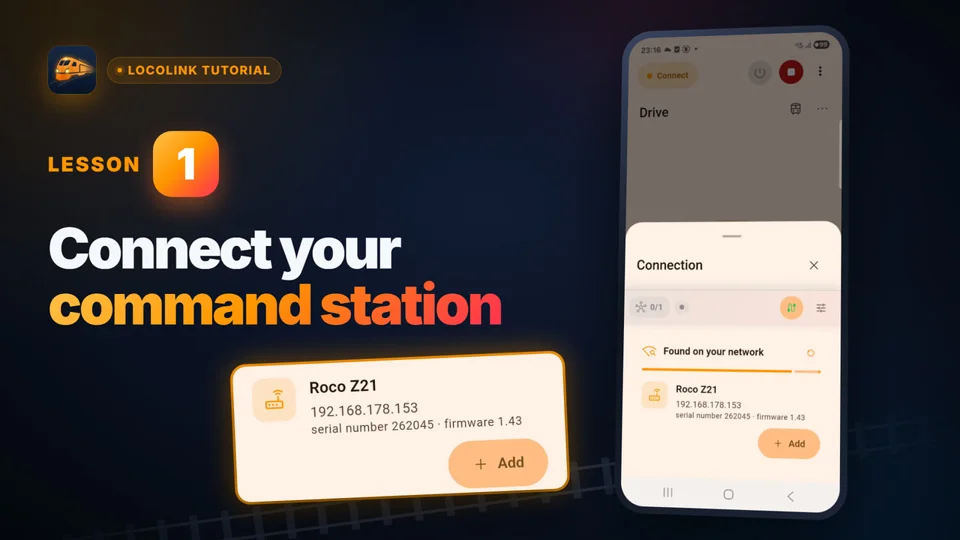
Use Auto-scan or enter the local address. LocoLink pre-fills 192.168.0.111 and UDP port 21105; change the IP address if your network uses another one.
Confirm the connection, then try emergency stop, direction and one accessory before importing data or enabling automation.
Z21 family
The product name on the box is not the only detail that matters.
| Item | What it means | Action |
|---|---|---|
| Black Z21 / Z21 XL | Network control is part of the platform | Connect on the same LAN and verify firmware |
| White z21 | Network app control is a core use case | Use the supported router/LAN configuration |
| z21 start | LAN control may be locked in a starter set | Check whether the official Z21 unlock package has been activated |
| Z21 START newGen | Wi-Fi is built in; no unlock code is needed | Join its Wi-Fi network Z21-start-XXXX or put it on your home network, then let LocoLink search |
| Firmware | Protocol behaviour can improve over time | Update through official Z21 tools when appropriate and retest |
| Feedback hardware | Bus and module choice determines available events | Validate every sensor address before automation |
Compatibility reviewed . The official Z21 documentation is the authority for hardware activation and firmware. LocoLink publishes its own integration status in the command-station adviser.
Inside the real LocoLink app
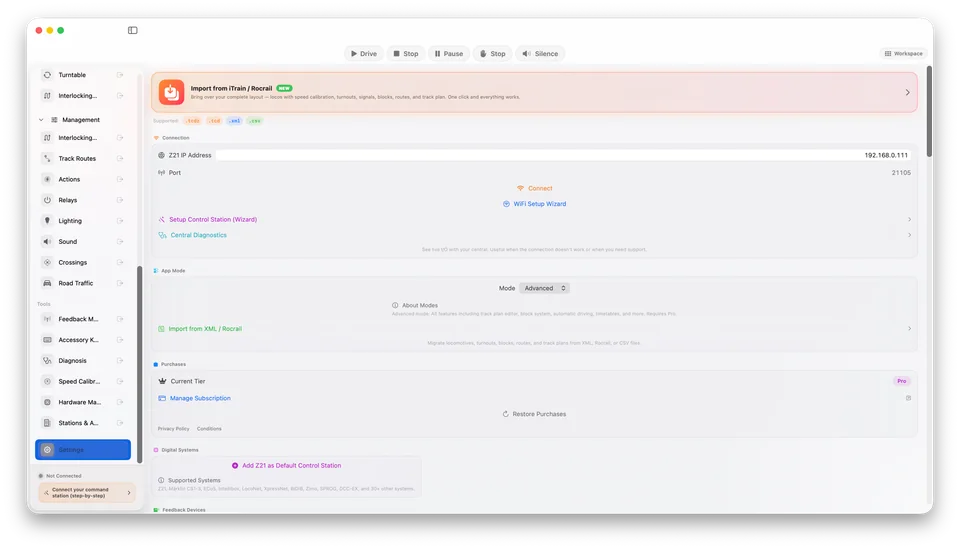
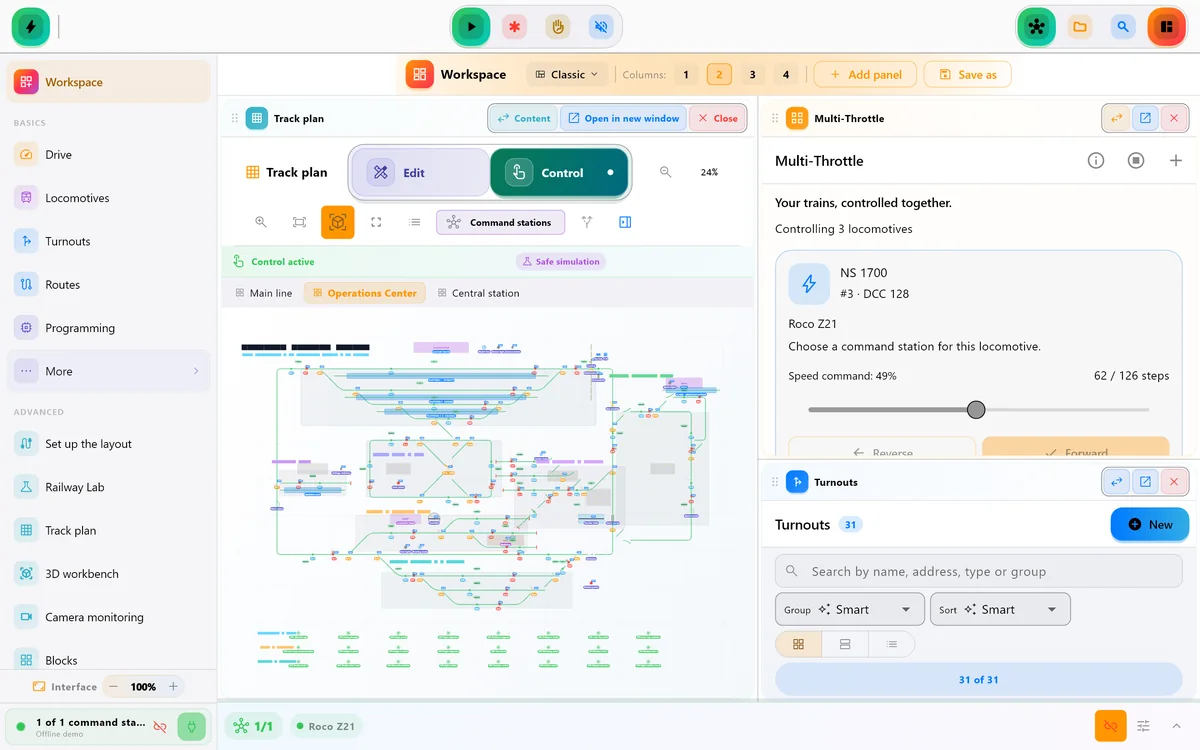
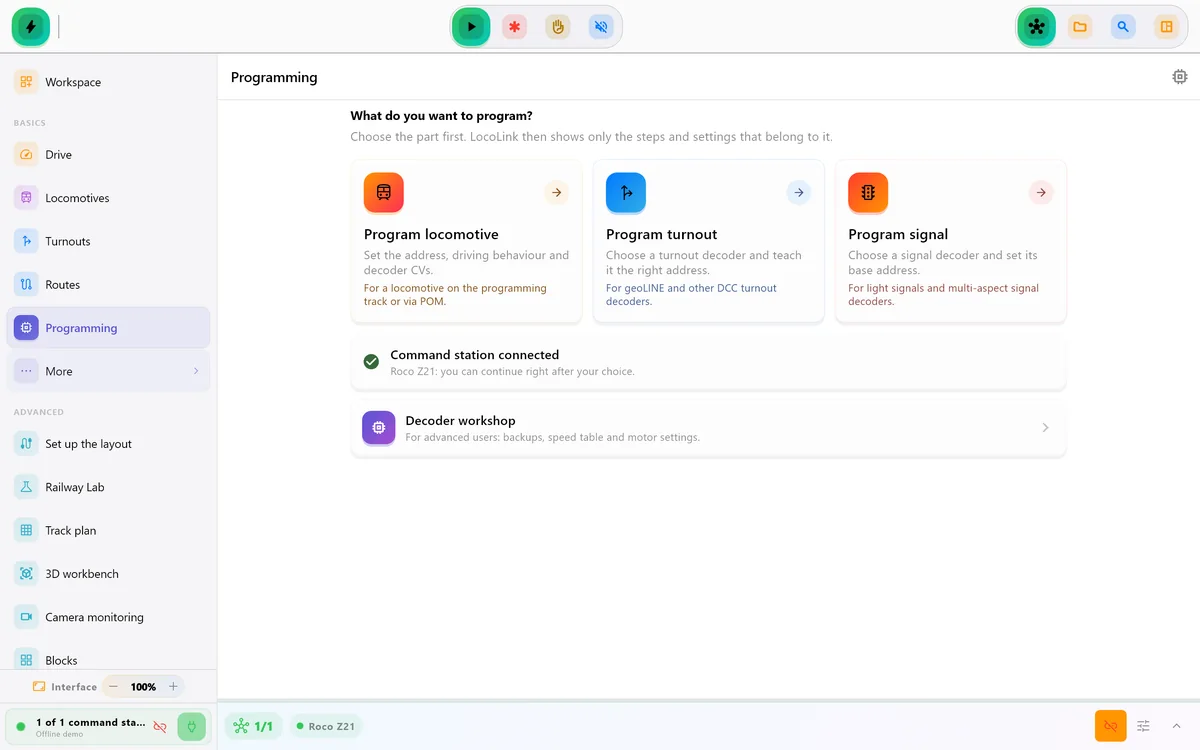
These are LocoLink product screens, not a generic Z21 mock-up. The settings view exposes the Z21 address, UDP port, Connect action, setup wizard and Central Diagnostics before you operate the layout.
Choosing a Z21 app
LocoLink is independently developed by Westerman. It is not the official Z21 App and is not a Roco/Fleischmann product. Z21 names the compatible command-station family; the software offered on this page is always called LocoLink.
Many Z21 owners start with the official Z21 app; LocoLink imports those locomotives with their functions and turns the Z21 into a complete control room. LocoLink gives you the same layout on Windows, Mac, Linux, iPhone, iPad and Android, with a visual track plan, guided decoder tools, blocks, routes and automatic running.
An alternative app does not change the electrical role of the Z21. The command station still talks to the decoders and provides the digital system. LocoLink connects through the documented local-network interface and adds its own project model and user experience.
Keep the existing Z21 setup available, back up relevant projects and validate LocoLink on one route. Confirm that addresses, functions, accessory formats and feedback events match before enabling automatic operation.
If you own a z21 start, first verify the official LAN unlock status. An app cannot work around a command station that has not enabled third-party LAN control.
Compare the complete setup in the model train control software guide, use the British model railway control software guide and its focused model railway control phone app setup, or follow the computer-controlled model railway UK guide for staged commissioning. The German guide covers Modellbahnsoftware zur Steuerung. The DCC controller app guide explains how the app works with the command station and booster.
Comparing Z21 with the wider control category? Use the model train control app comparison. Choosing between control software, track planning, inventory and simulation first? Use the broad model train software guide.
Using a phone around the layout? Follow the locomotive control app for iPhone and iPad guide.
Short video lessons with the real app.
FAQ
Yes. Roco/Fleischmann Z21 is fully supported over the local network.
Some z21 start units supplied in starter sets require the official Z21 LAN unlock package before third-party app control is enabled. The new Z21 START newGen does not.
Yes. The Z21 START newGen speaks the same Z21 LAN protocol over its built-in Wi-Fi. Join its Wi-Fi network or put it on your home network, and LocoLink finds it. No unlock code is needed. It has one track output: when you program a decoder, keep only that locomotive on the track.
For everything beyond a phone throttle, yes: LocoLink adds a desktop control room on Windows, Mac and Linux, a visual track plan, blocks, routes and automatic running, and imports your locomotives from the Z21 app. The Z21 stays your command station.
Supported Z21 programming workflows are available. Always use the correct programming track or POM setup and test with the exact firmware.
Yes, when feedback, blocks, routes and stopping behaviour are correctly configured and validated.
Yes. LocoLink is a native Windows model-train control app and fully supports Z21 over the local network, so no Android emulator is required.
Yes. LocoLink is available for Mac, iPhone and iPad as well as Windows, with Z21 fully supported over the local network.
LocoLink is free to download and includes a 30-day Pro trial without payment today. Continued Pro use requires a paid plan after the trial.
Verification
Product and compatibility claims are checked against first-party documentation. Every listed command station is fully supported; direct, interface and gateway only describe the required connection route.